
1
Select an opportunity and review the value hypothesis
Open the opportunity drawer and review the generated value hypothesis.
2
Regenerate if needed
Add a prompt to tailor the language for your specific audience or refine the content.
3
Export to slides
Export the value hypothesis as a branded slide deck.
4
Review and edit slides
Copy the deck to your Google Drive and make final edits before sharing.
When to use a value hypothesis
Create a value hypothesis early in a deal, typically after your first discovery call. At this stage, you’re introducing value-selling concepts and framing how the prospect’s organization might benefit from your solution—before diving into detailed calculations.The value hypothesis becomes the first tab of a business case. It tells the qualitative story before exposing the quantitative use cases and calculations.
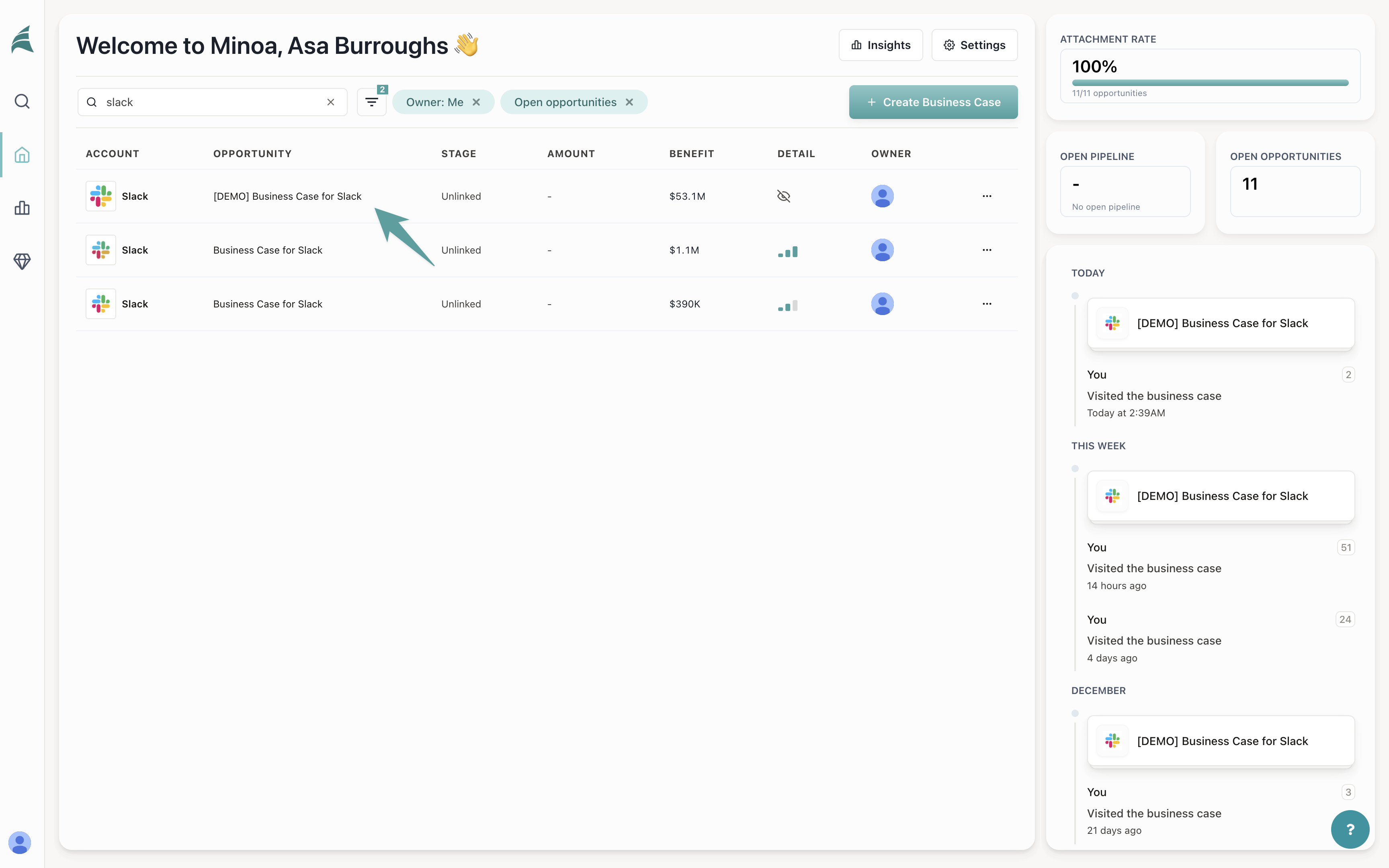
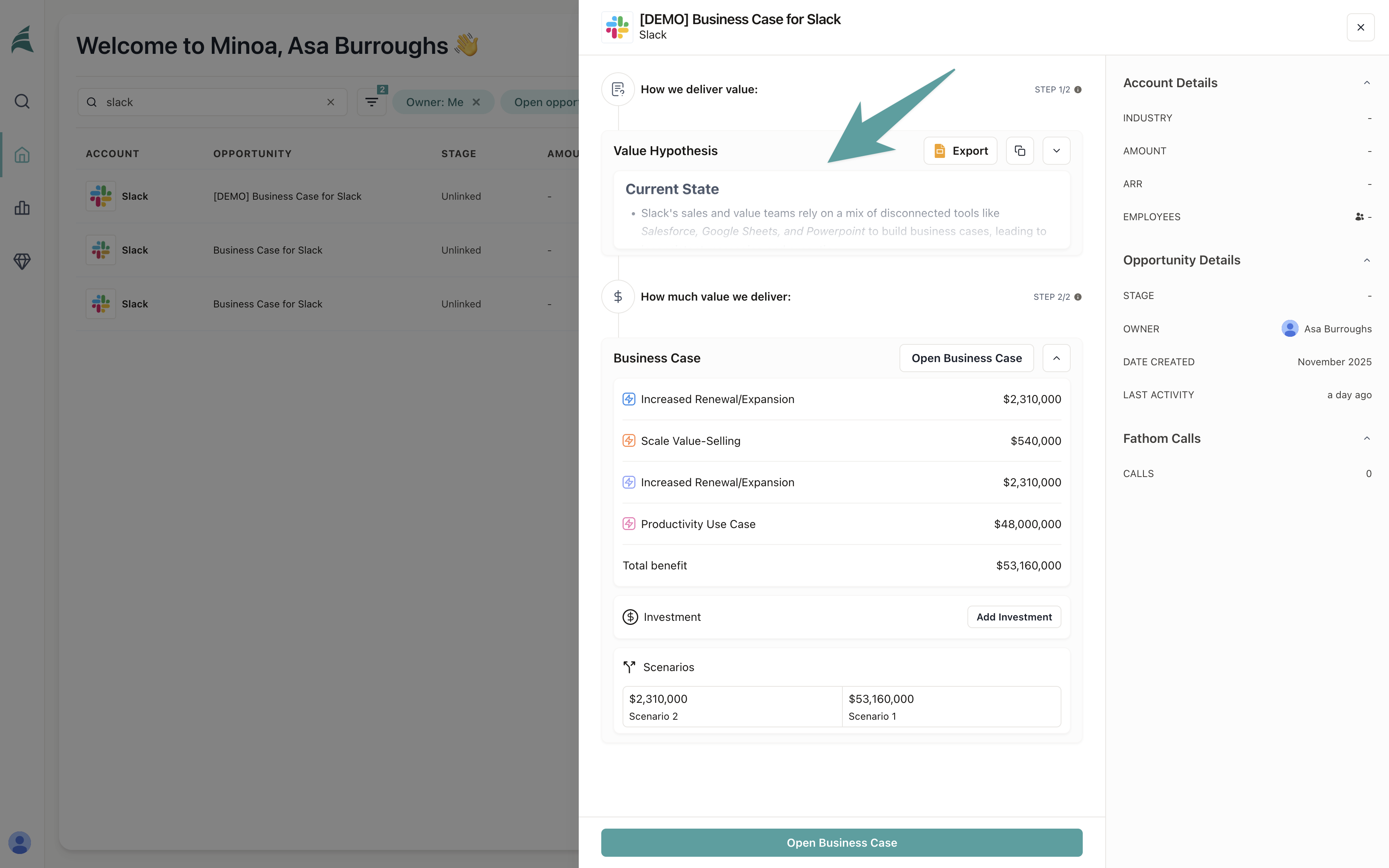
Select an opportunity and review the value hypothesis
- Navigate to your opportunity in Minoa
- Open the opportunity drawer
- Click on the Value Hypothesis tab
Review the generated content
Read through the value hypothesis carefully. Your role is to ensure it accurately represents the state of the deal and tells a compelling story. The value hypothesis is a rich text editor, so you can make direct edits if needed.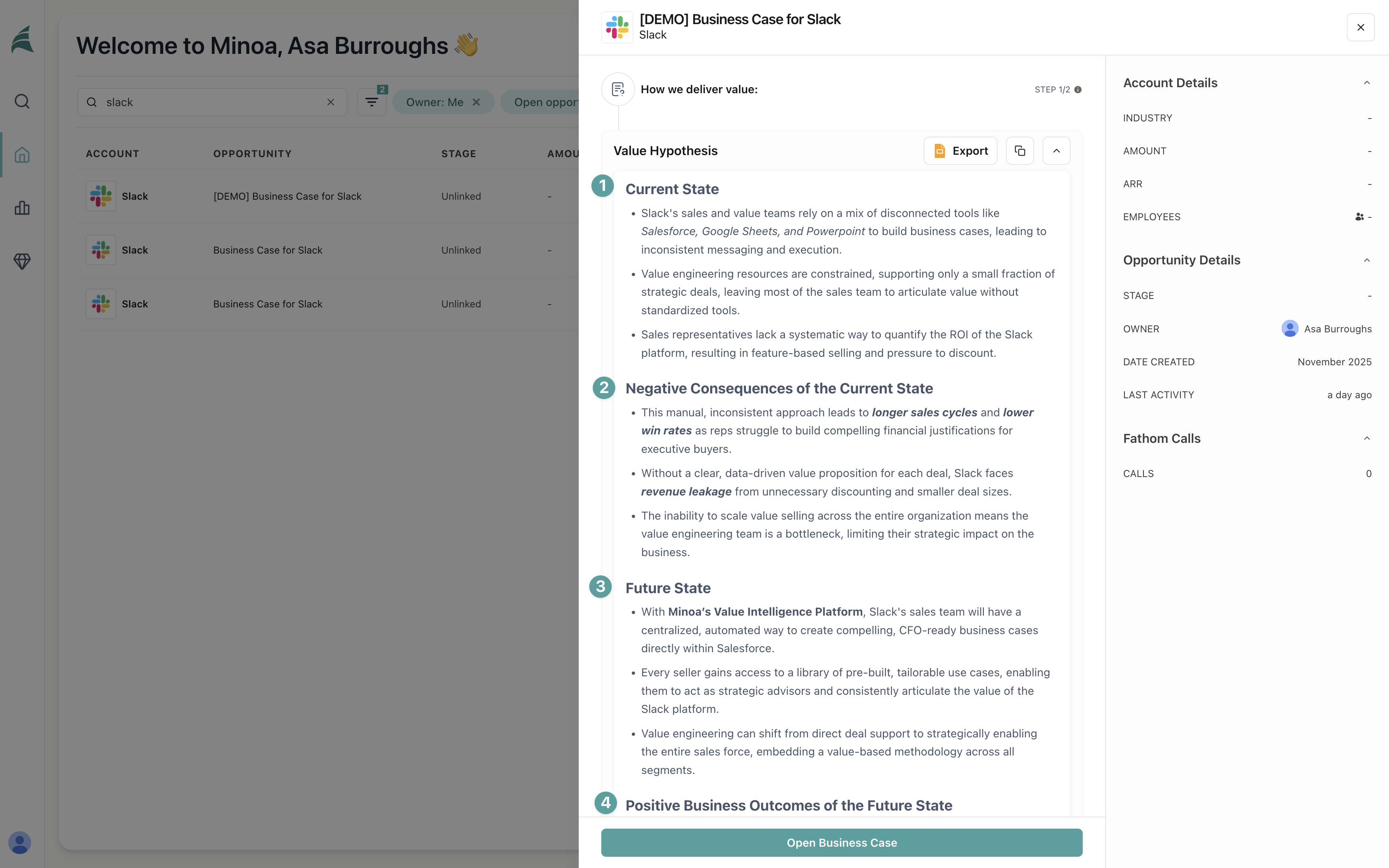
The value hypothesis uses AI to synthesize your deal context into a narrative. Review it to ensure it captures the right pain points, outcomes, and value drivers for this specific buyer.
Regenerate if needed
If the generated value hypothesis doesn’t quite hit the mark, you can add a prompt to guide the regeneration.- Click Regenerate in the value hypothesis editor
- Add a prompt that specifies your requirements
“Tailor this value hypothesis for a CRO audience. Focus on revenue impact and sales efficiency metrics. Use language that resonates with revenue operations leaders.”
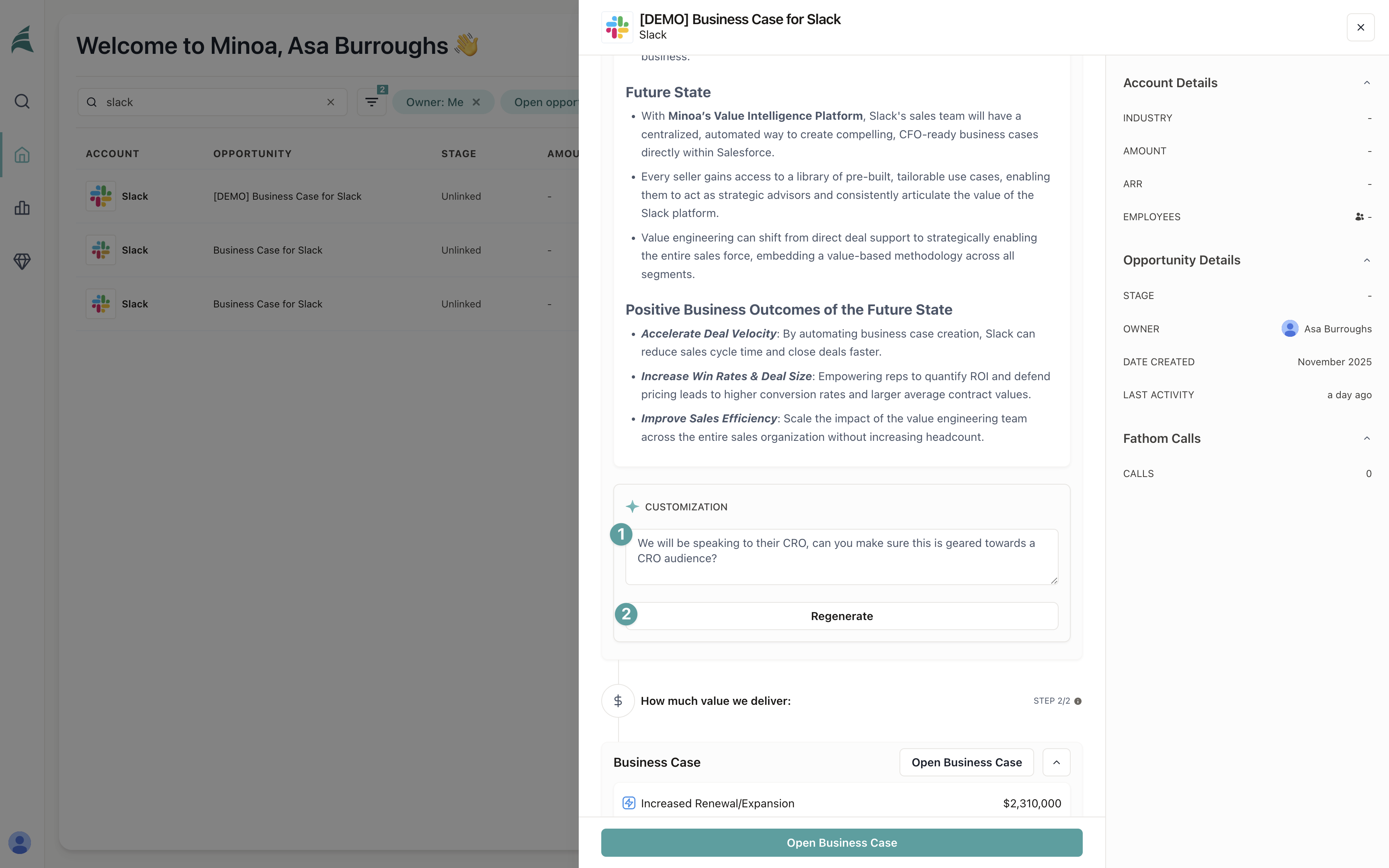 The system will regenerate the value hypothesis based on your prompt and existing context. This typically takes 30 seconds or less.
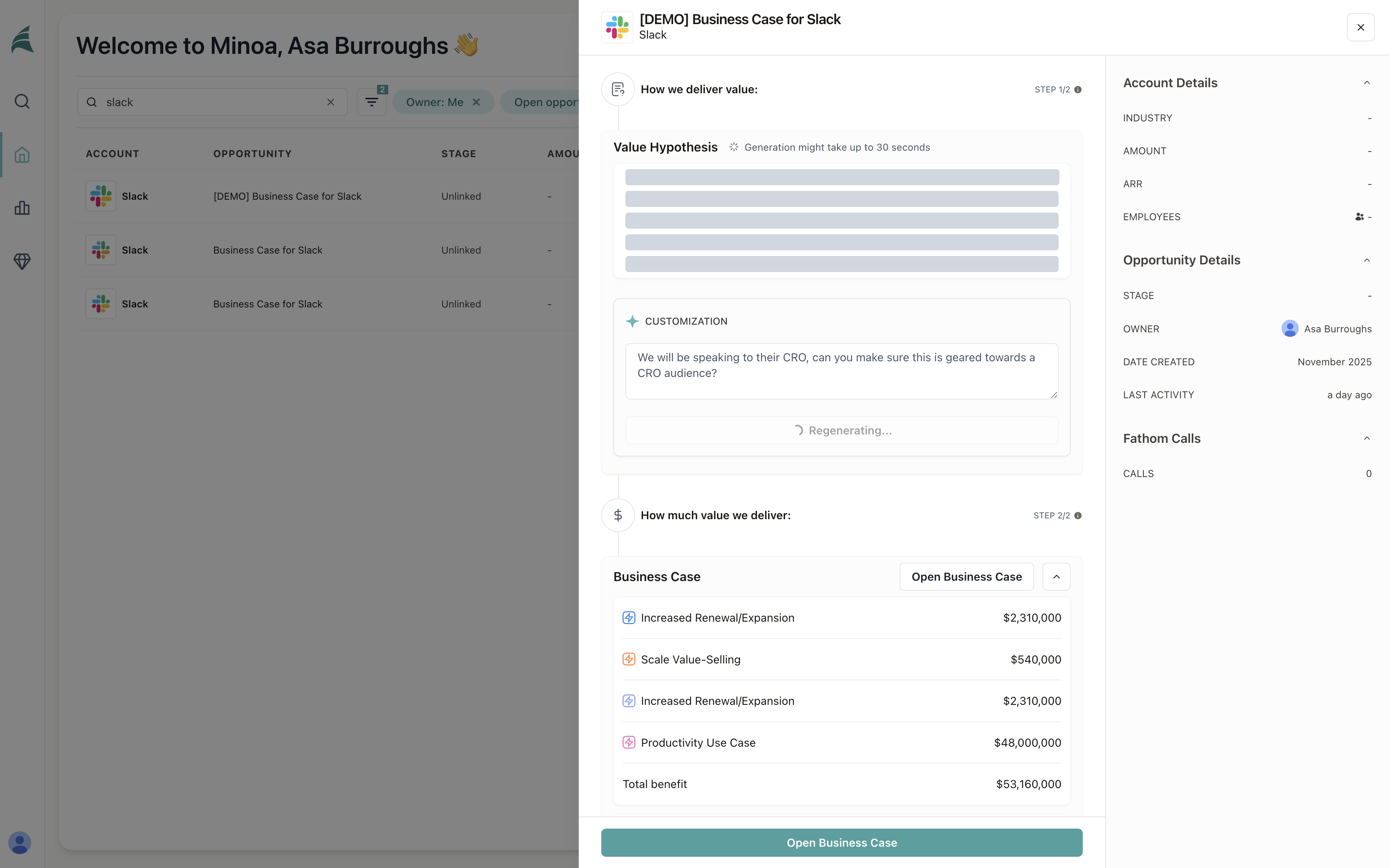 Review the regenerated content to ensure it meets your requirements. You can continue regenerating with different prompts until you’re satisfied.
Export to slides
Once you’re happy with the value hypothesis, export it as a slide deck.- Click the Export button in the value hypothesis editor
- Select your export format: Google Slides, PowerPoint, or PDF
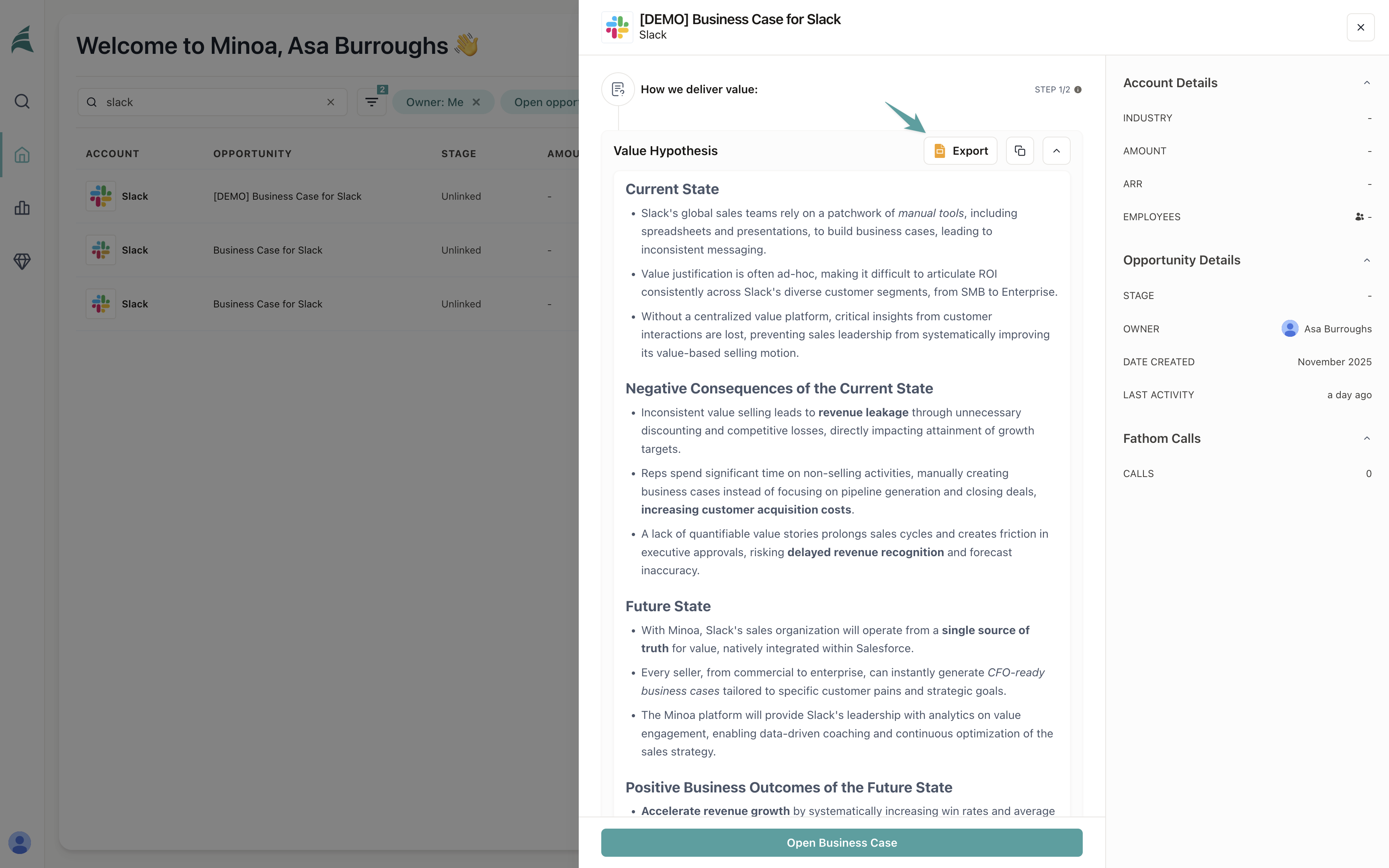
The exported deck uses your organization’s branded slide templates. The example shown uses Minoa branding, but your experience will reflect your organization’s templates and styling.
Review and edit slides
After the export completes, you’ll have a slide deck ready to share. Before sending it to your prospect, take a few minutes to review and refine it.Copy to your Google Drive
- Open the exported Google Slides deck
- Click File → Make a copy
- Save it to your organization’s Google Drive
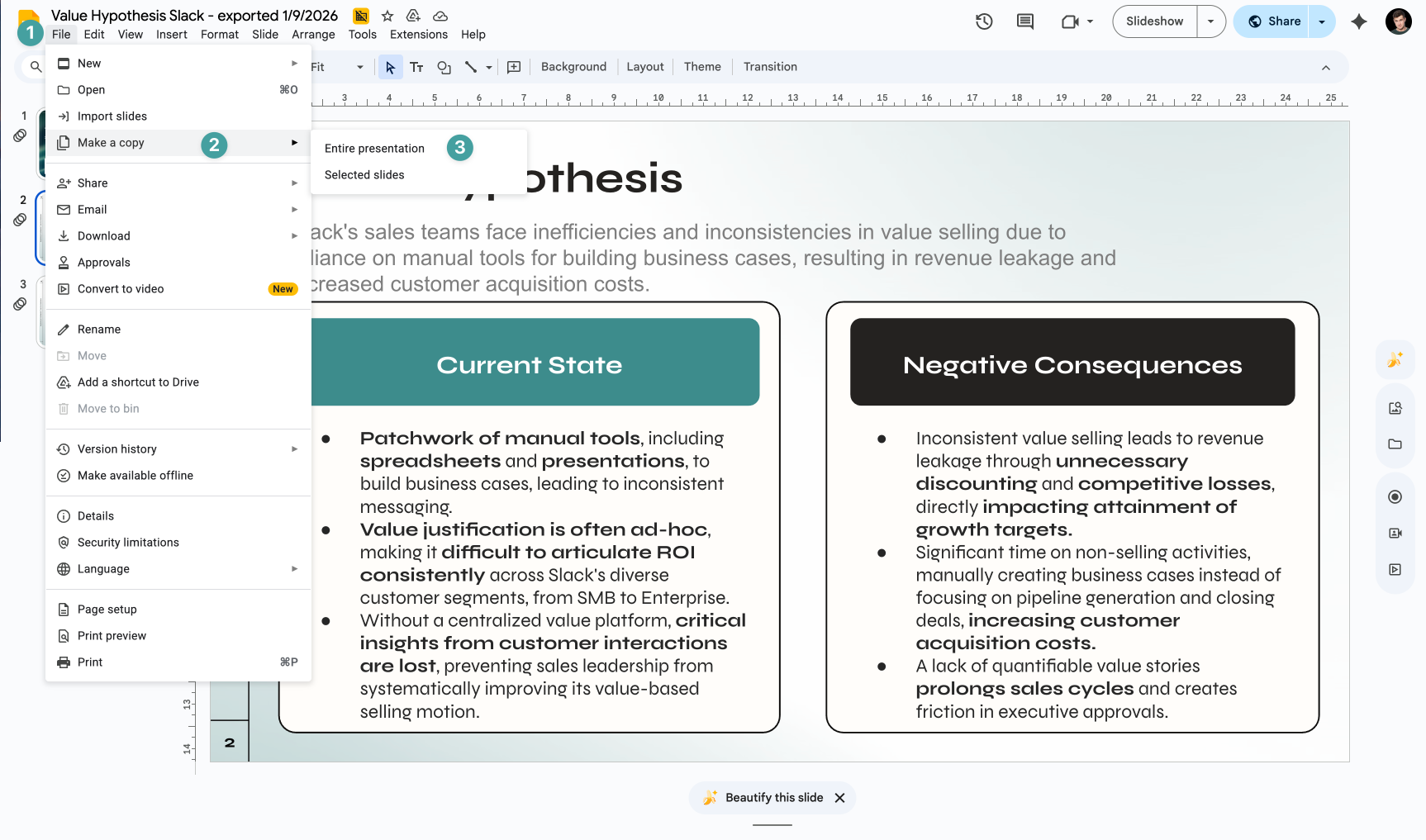
Review the slides
The value hypothesis provides an excellent starting point, but it often benefits from human review and refinement.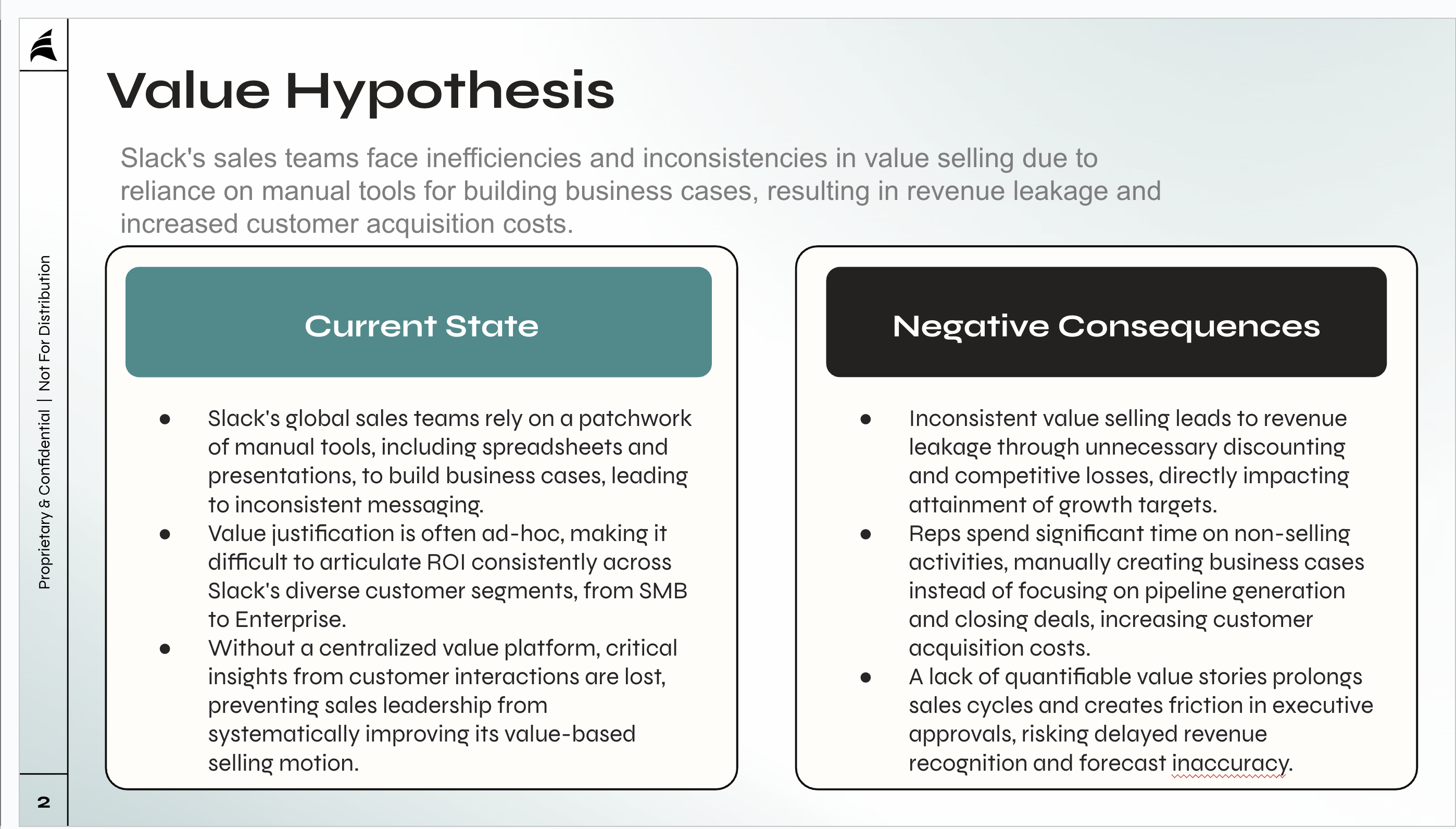
Make final edits
Review each slide and make adjustments as needed. Common edits include:- Shortening bullet points for better readability
- Adding bold formatting to key terms and concepts
- Adjusting language to match your sales style
- Removing or consolidating redundant information
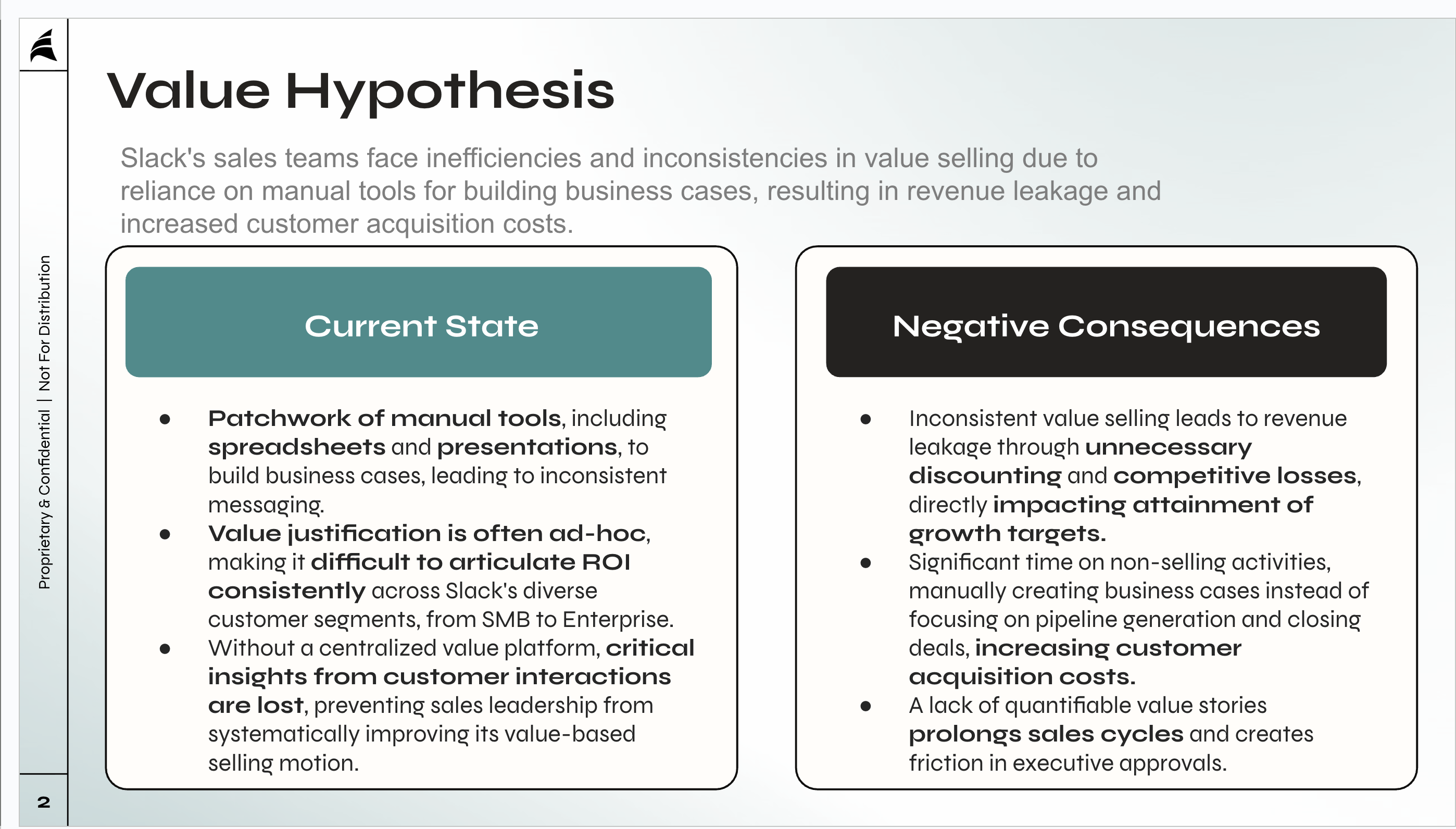
Your slide deck is ready to share. The value hypothesis gives your champion a compelling narrative to use when building internal consensus for your solution.
How this relates to business cases
The value hypothesis serves as the foundation for your business case. When you create a business case from an opportunity, the value hypothesis automatically becomes the first tab—telling the qualitative story before you introduce quantitative use cases and ROI calculations.If you edit the value hypothesis within a business case, those changes automatically sync back to the opportunity drawer. This keeps your value hypothesis up to date whether you’re working in the opportunity drawer or the business case.