
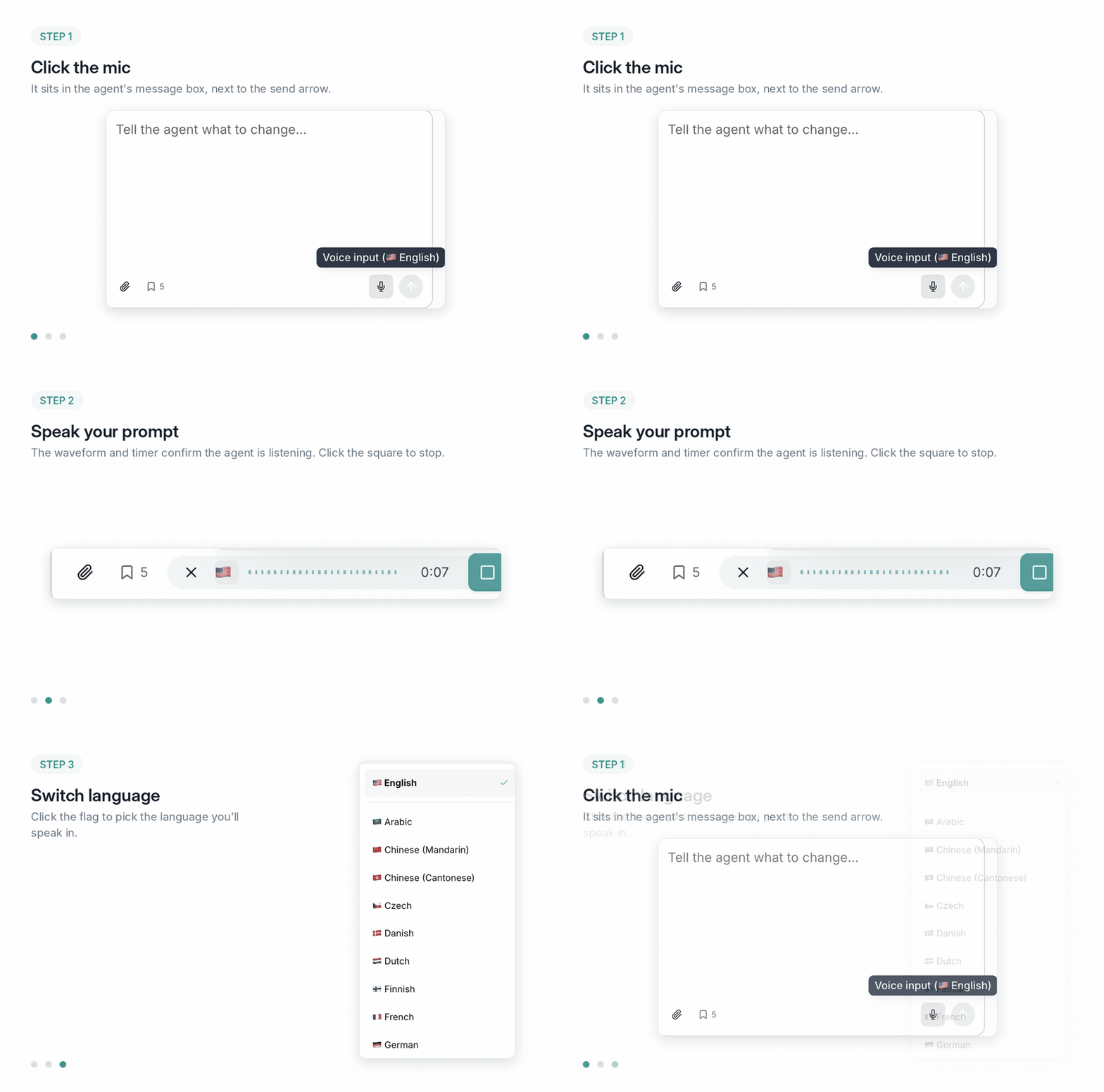
Step by step
1
Open the agent
Start a conversation with the agent inside any business case or on the Docs tab of a deal. Voice input works anywhere you can type to it.
2
Click the mic
The mic sits in the message box, to the left of the send arrow. Hover it and you will see which language it is currently set to.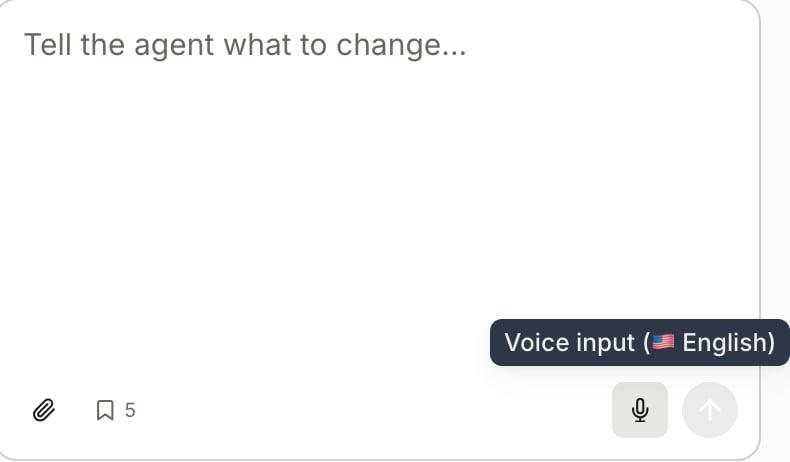
3
Speak
The message box turns into a recording bar. The waveform and the timer tell you it is listening.
4
Read it before you send
The transcript lands in the message box as ordinary text. It is not sent yet. Fix a mangled product name, add the detail you forgot, then hit send.
Your browser will ask for microphone access the first time. If you blocked it by reflex, re-enable it in your browser’s site settings for app.minoa.io.
Speak in your own language
Click the flag in the recording bar and pick from the list. English, Arabic, Mandarin, Cantonese, Czech, Danish, Dutch, Finnish, French and German are all in there, and the list keeps going.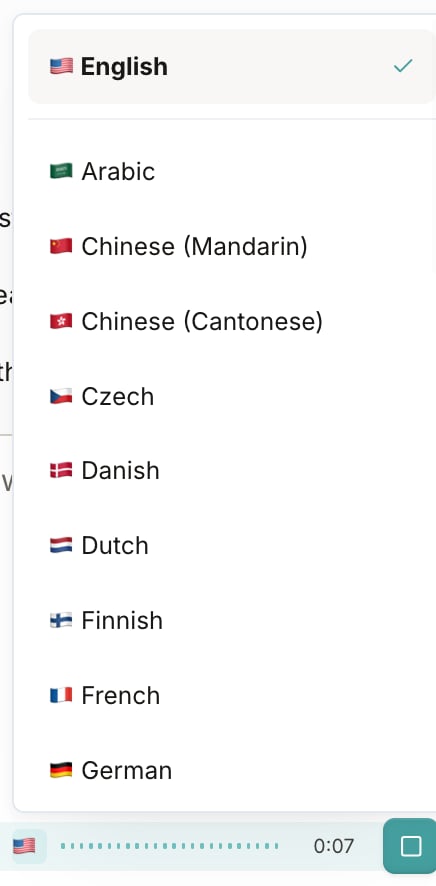
Don’t see your language?
Email support@minoa.io and tell us which one. We add languages based on what customers ask for, so your request moves it up the list.What to actually say
Voice rewards the prompts typing punishes. Four that work:- The full correction, in one breath. “The twelve minute default is wrong for them, their team said twenty two minutes on the March third call, update it and record that the customer gave us that number.”
- Everything you remember from the call. Dump it. Let the agent sort out which parts are use cases and which are noise.
- The chained edit. “Create a best case scenario, push adoption to eighty five percent, add a three month onboarding phase at thirty percent ramp, then show me payback for both.”
- The walk-through request. “Walk me through this case as if I have never seen it, then tell me which number my champion cannot defend on their own.”
You can now brief the agent the way you would brief a colleague, in the language you think in, without typing a paragraph.
Related
- Agent Recipes for what to ask once you are talking to it
- Build a Value Story w/ the Business Case Agent for the wider agent walkthrough
- Internationalization for which languages your business cases can be presented in