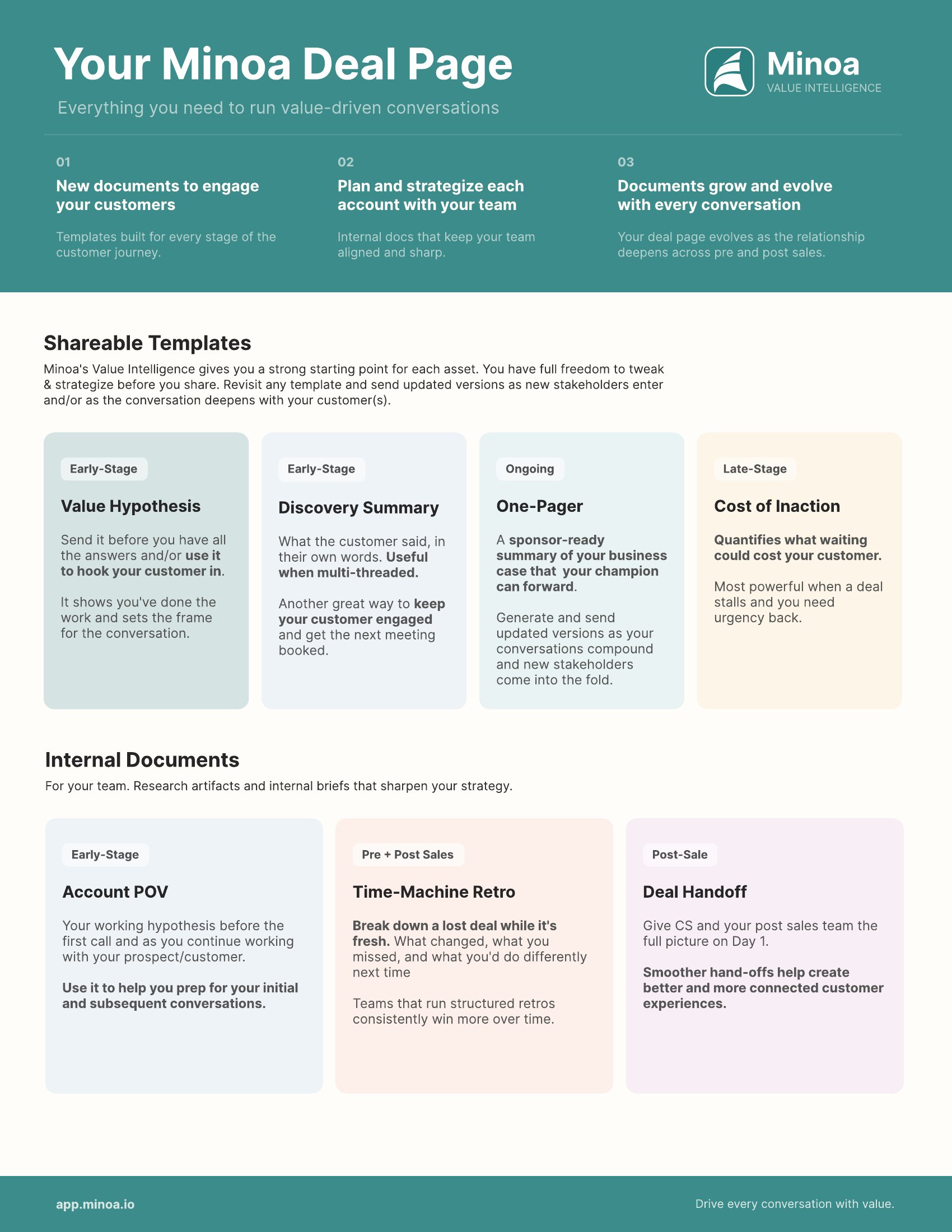
Most of what you produce for a deal — the research brief, the value story, the one-pager your champion forwards, the handoff note when it closes — used to live in whichever tool you happened to open. The deal page puts all of it in one place, alongside the calls and notes it was built from.
This walkthrough covers the three tabs and, more usefully, which document to reach for at which point in a deal.
The three tabs
Docs is where you generate, edit, and share the artifacts for this deal.
Deal intelligence shows what Minoa has extracted from your context — the customer’s priorities and challenges, each backed by the call quote or note it came from. You can edit or dismiss any signal to steer what the AI does with it, and re-analyze when new calls land. Treat it as a working surface, not a report: a dismissed signal is a correction the agent carries forward.
Context is the raw material. Account research, connected calls, notes, and files. Everything the documents get built from lives here, so when a generated document says something surprising, this is where you find out why.
Docs, in three sections
Deal Documents
Everything that already exists for this deal. Click a row to reopen it, or use the row menu for more options. Your Account Overview lives here permanently — it runs automatically rather than being something you pick from a template.
Shareable Templates
Documents written for the buyer. Pick one and the agent drafts it from your deal context.
Internal Documents
Research artifacts and briefs for your team only. The Account POV is a first-call hypothesis about what’s driving the account — see Prospect a New Account for how to use it. Deal Handoff captures what was sold and what was promised when a deal closes, and Time-Machine Retro is its counterpart for the ones you lose.
Internal documents are internal. They contain hedged guesses, stakeholder read-outs, and the reasoning behind your
positioning — none of which is written for a buyer’s eyes. Check which section you’re in before you share.
Working with a generated document
Click a template and the agent starts writing in front of you. You’ll see it read the account research, pull company context, check your use cases, search transcripts, then draft.
What lands is fully editable. Change anything you disagree with — and do, because your edits teach Minoa how you write and shape what it produces next time.
Two things worth knowing:
- Add references runs a second pass that annotates the document with citations back to the calls and notes behind each claim. Hover any reference to see who said it, when, and the quote itself.
- PDF export comes from the document header and uses your branding. The Value Hypothesis is the one that also exports to slides; see Slide export for the full deck workflow.
Documents are locked while the references pass runs. Do your editing first, then add references, rather than the
other way round.
Send the one-pager and the business case link together. The one-pager is what an executive reads; the business case
is what their analyst opens when they’re asked to check it. Supplying both saves a round trip and signals you’re
not hiding the arithmetic.
Key takeaways
- Docs, Deal intelligence, Context — artifacts, signals, and the raw material behind them.
- Shareable versus Internal is a real boundary. Check the section before you send anything.
- Every document is editable, and your edits teach it. Rewriting a draft isn’t wasted work.
- Add references after you edit, not before — the document locks during the pass.
- The one-pager travels; the business case backs it up. Send both.