When in doubt, ask Noa
Every deal and every customer deserves a value story, from the first call all the way through renewal. Noa is your personal Value Engineer. It’s built right into Minoa to help you at every stage. Ask it anything about an account, a deal or a customer in your own words. It runs the skills your team has built, spins up an agent for every account you’re working, and sits beside you on the account, deal and business case pages. This page follows Part 1 of the rep enablement video step by step, so you can come back to any part without rewatching.Quick reference
1. Ask Noa
1
Open your homepage
Noa sits front and center. Type your question into Ask Noa anything and phrase it the way you’d ask a teammate.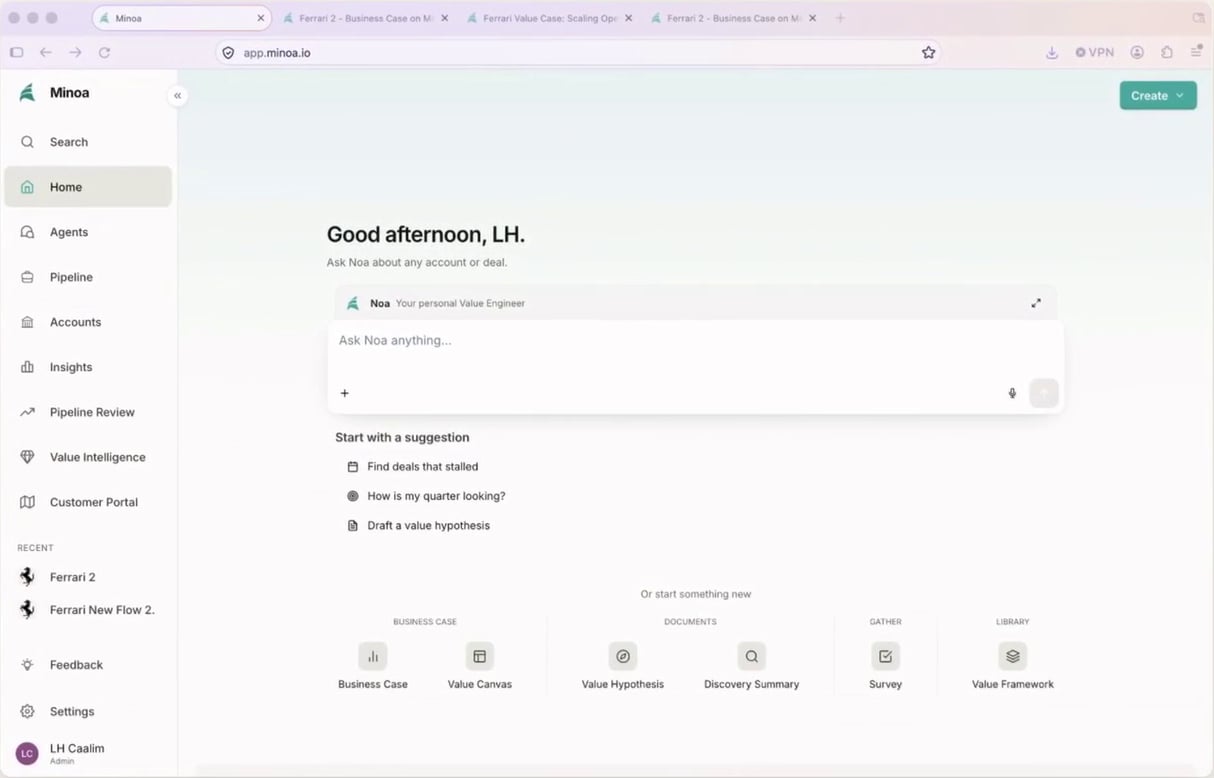
2
Not sure where to start? Pick a suggestion
The suggestions under the chat are based on the deals and customers you’re working on right now. Click one, like What should I focus on this week?, Build a business case or Summarize my pipeline. Or ask a question of your own, and Noa gets to work.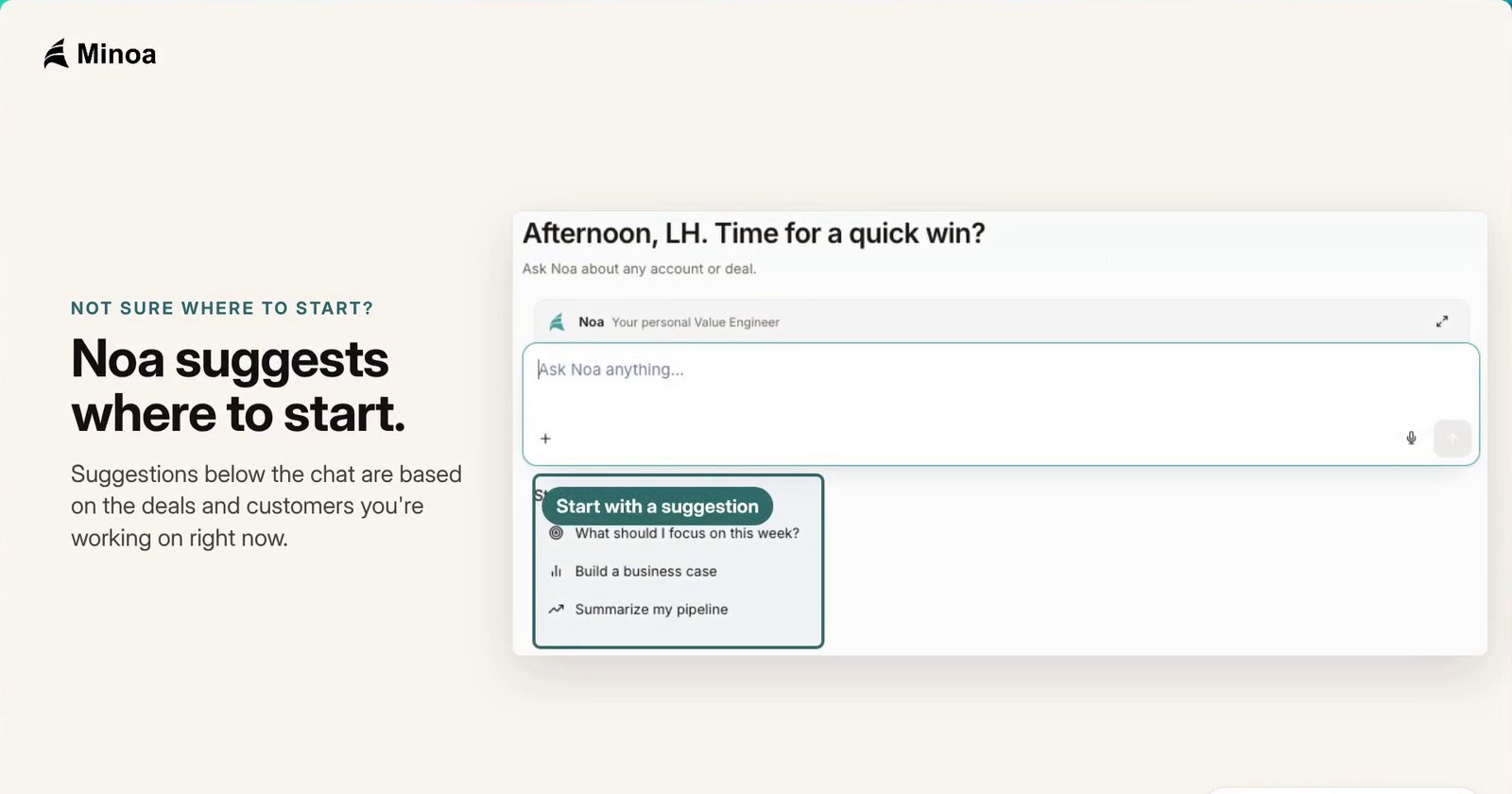
3
Let Noa hand off the work
When your request is about a specific account, Noa hands the job to that account’s agent and reports back when it’s done. In the video, Noa hands a value hypothesis for the P&G deal to the P&G agent, then posts the result in the thread with next steps.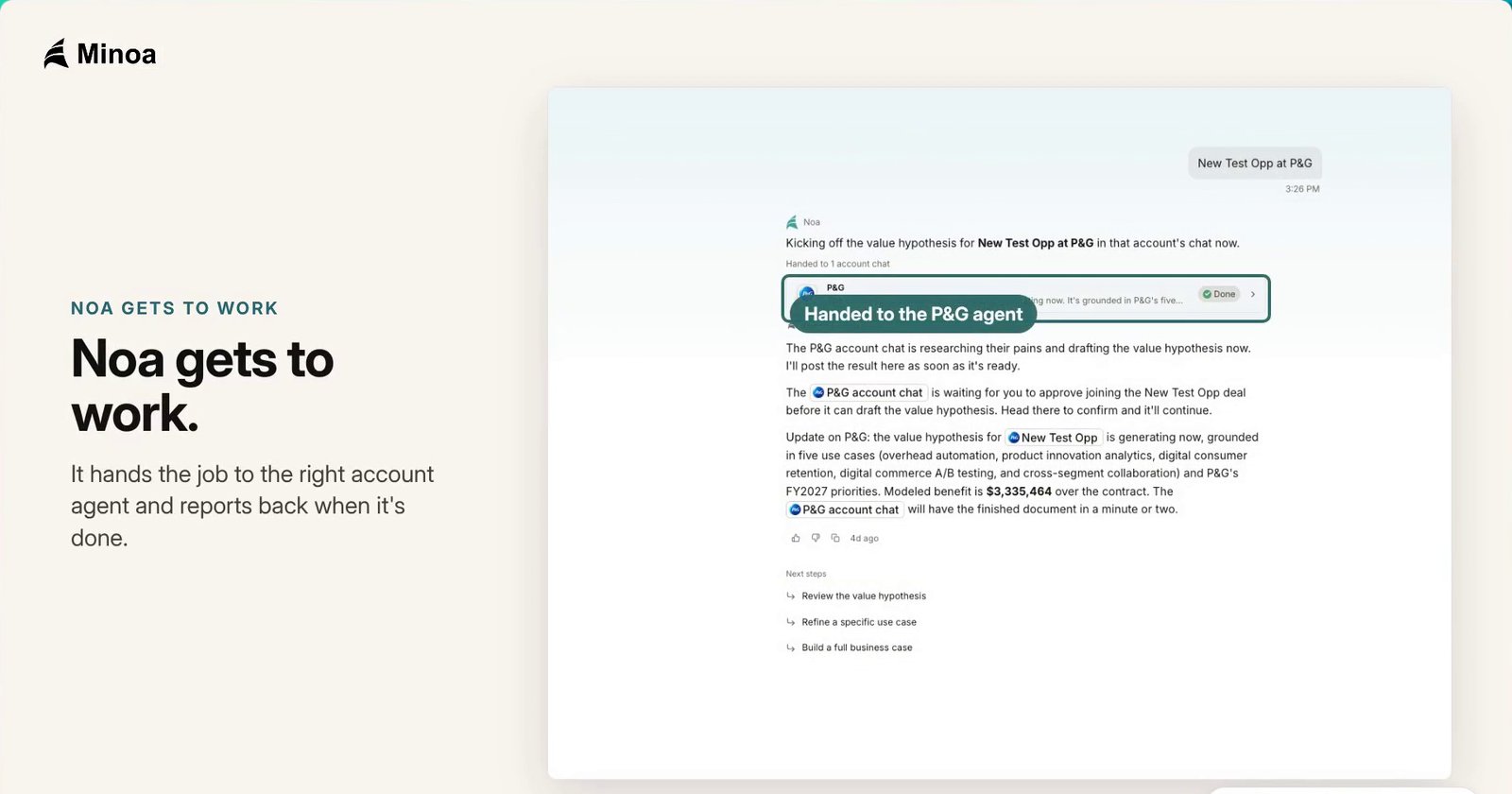
2. Use skills
When you want something more specific, or need a little help prompting, use a skill. Skills are the plays your team has built into Minoa, like prepping for a first call or building a value story deck.1
Type / in Noa's message box
A menu opens with every skill your team has built. Scroll or keep typing to filter.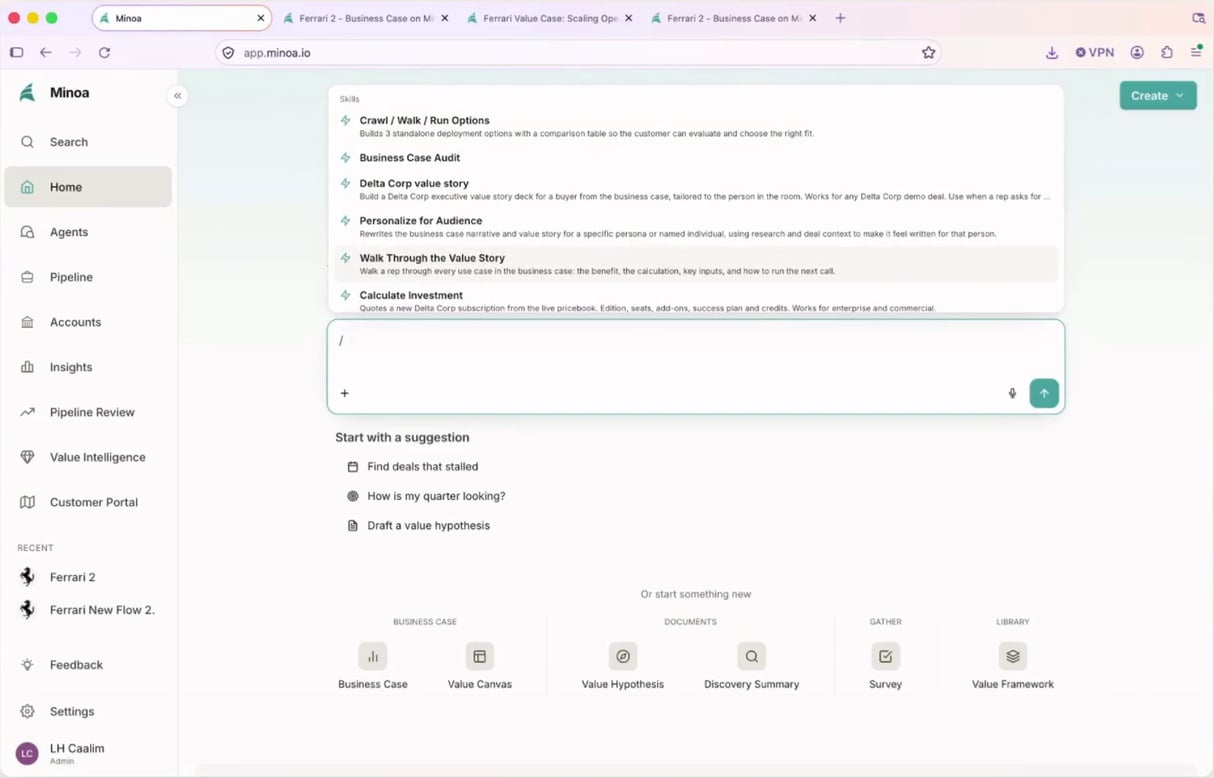
2
Pick a skill and name the deal
Select the skill, then tell Noa which deal it’s for and who the output is for. Noa runs it against that deal’s business case and you keep editing in the chat.
Build a value story deck with a skill
You don’t need to open the business case first. Noa builds the deck from that deal’s business case.1
Type / and pick a value story deck skill
Your team’s deck skills show up in the same menu.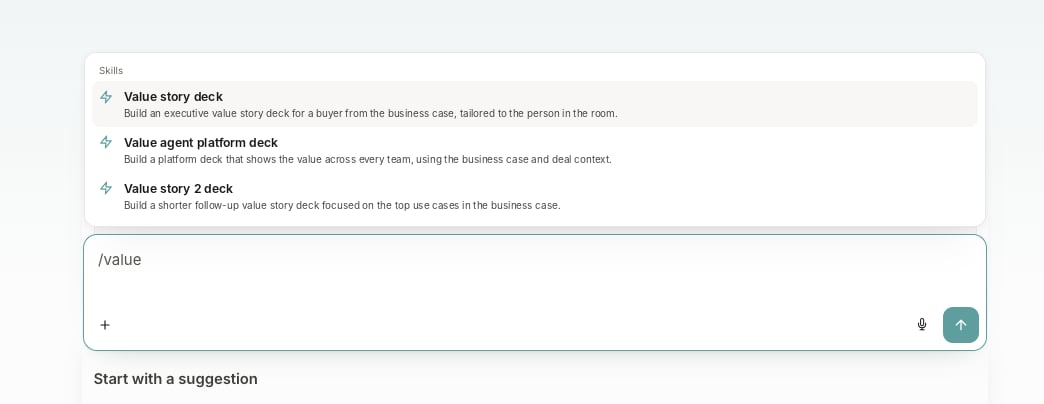
2
Tell Noa the deal and who the deck is for
Name the deal and the main person in the room. A CFO deck and a CIO deck should tell different stories. For example:
- “Build a value story deck for the Acme deal. It’s for their COO.”
- “Build a CFO deck for the Acme expansion deal.”
3
Edit it in the chat
Review the slides and check the numbers against the case. Ask for changes in plain English, like “Cut slide 6” or “Rewrite this for the CIO.”
3. Spin up agents
Every account gets its own agent, so you’re never stuck working one deal at a time. They all keep working in parallel, even after you close the tab.1
Noa starts an agent for the account
When Noa picks up work on an account, it starts an agent for it. The agent already knows that account’s calls, CRM and documents, and it keeps going even if you close the tab. Click Open chat to jump in, or Got it to keep working.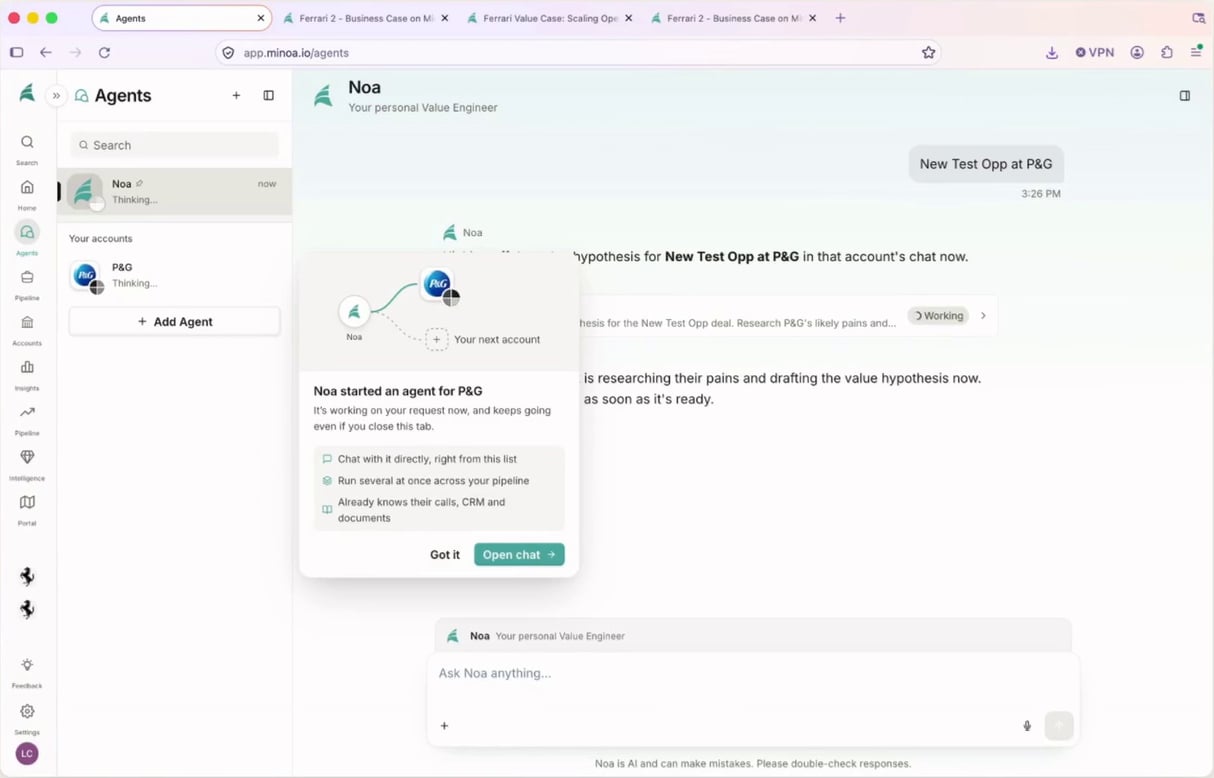
2
Click Agents, top left, to see them all
Every account gets its own agent working in parallel. In the video that’s Ferrari, P&G, IBM and Notion. You’ll see what each one is working on and where it needs you, like Waiting for your answer or Waiting for your approval.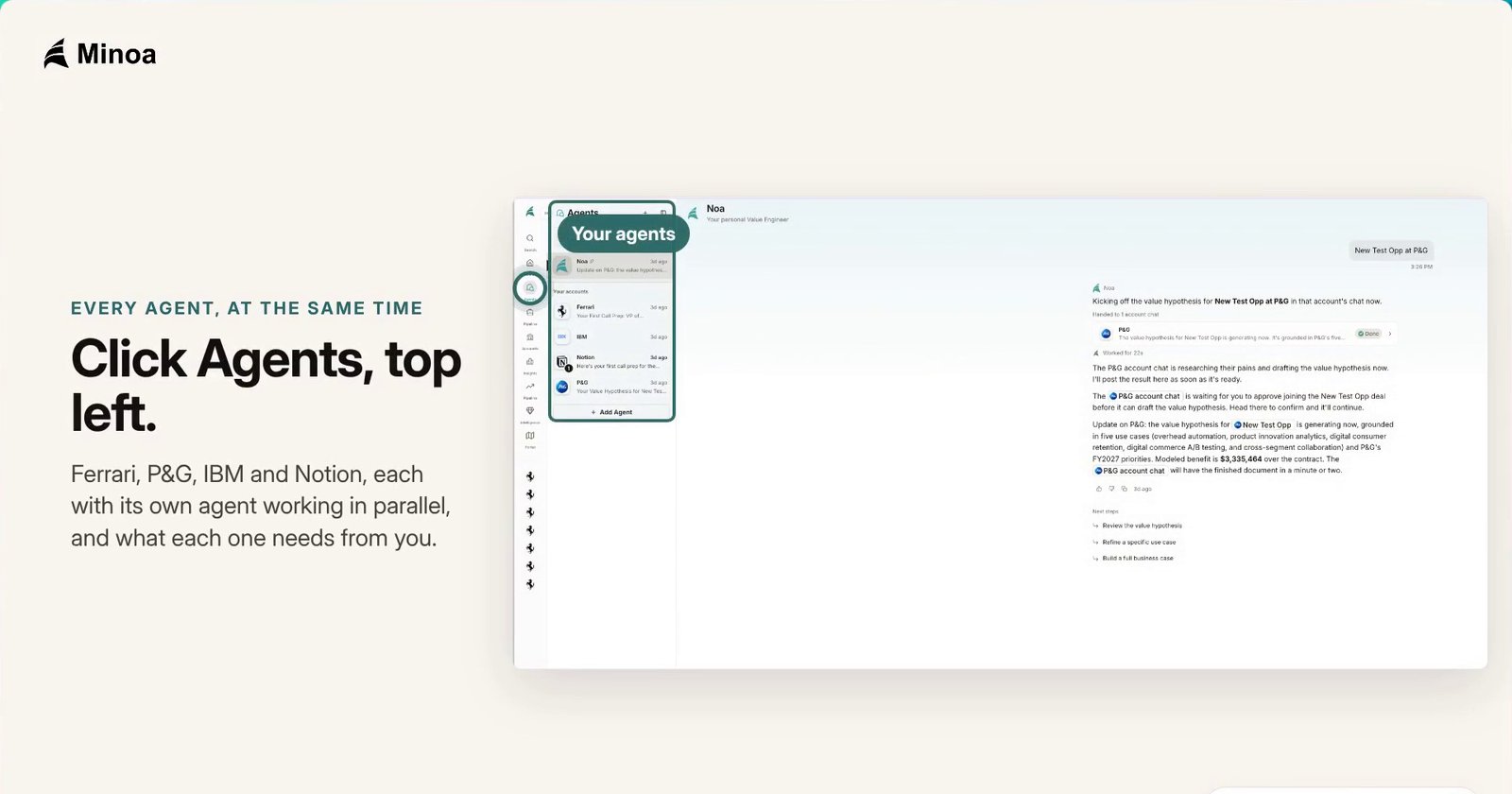
4. See what they can do
Agents help you anywhere in the customer journey. Here are two examples from the video.Prep a first call
1
Ask the account's agent for first call prep
Before it builds anything, the agent asks who’s on the call. Pick the persona, like VP or Head of Operations, CFO, CTO, CEO or Procurement, or type your own.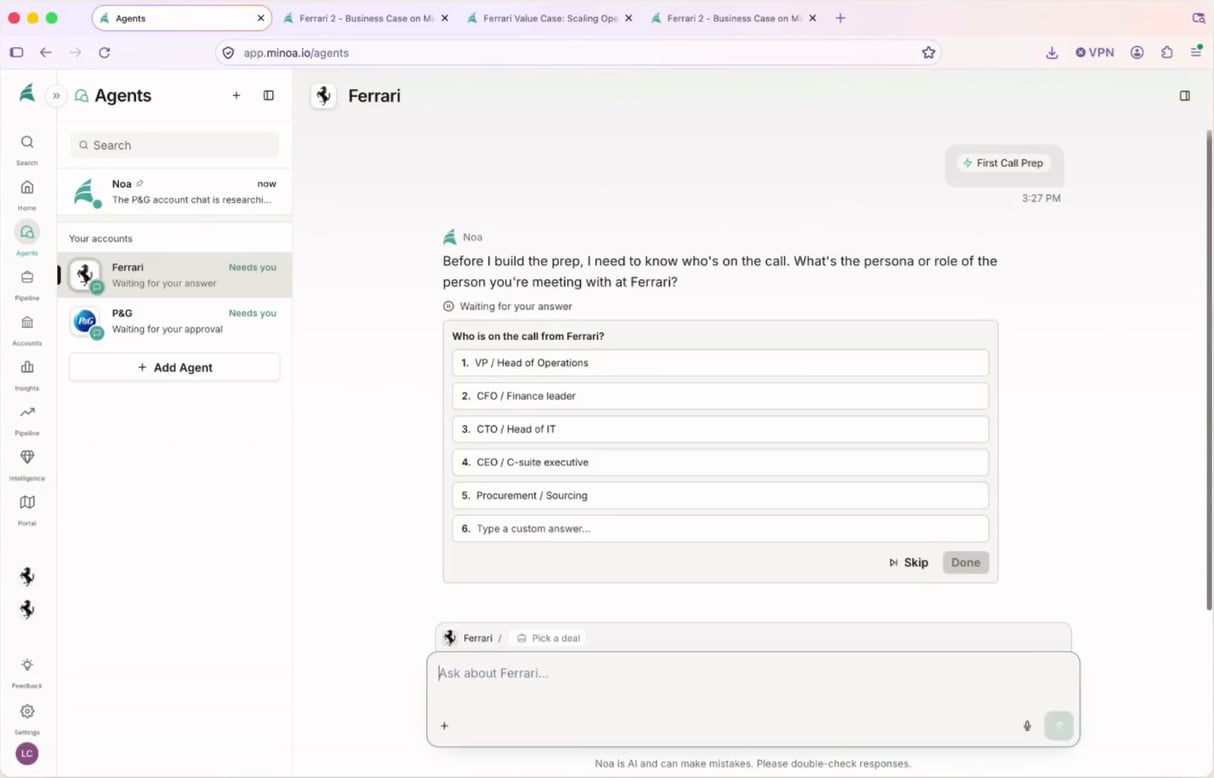
2
Review the prep doc
The agent builds a First Call Prep doc for that persona, with a source behind every fact. It covers what you already know, the things to test on the call and suggested next steps, like drafting discovery questions.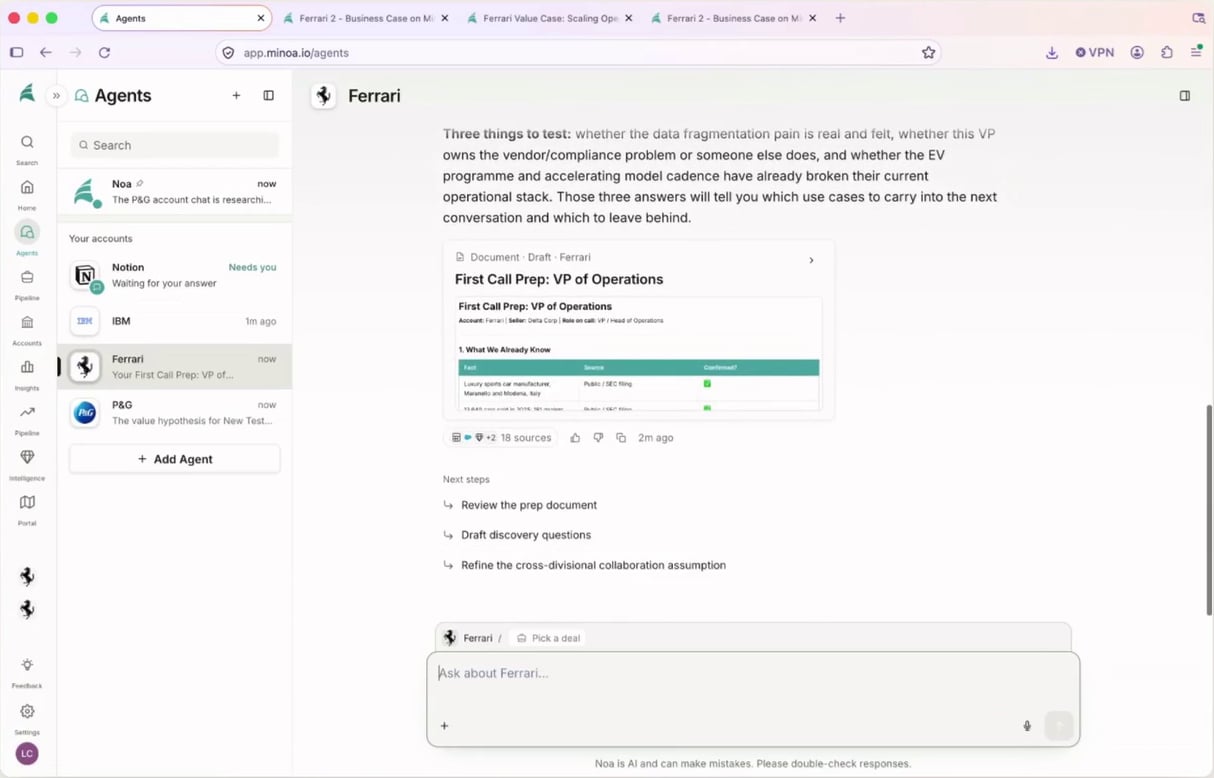
Draft a value hypothesis
After discovery, ask the agent for a value hypothesis. It’s grounded in the customer’s own priorities. You get the modeled benefit right in the chat, plus a document that’s ready to edit, customize and send to the customer. It covers current state, cost of inaction, future state and the value table.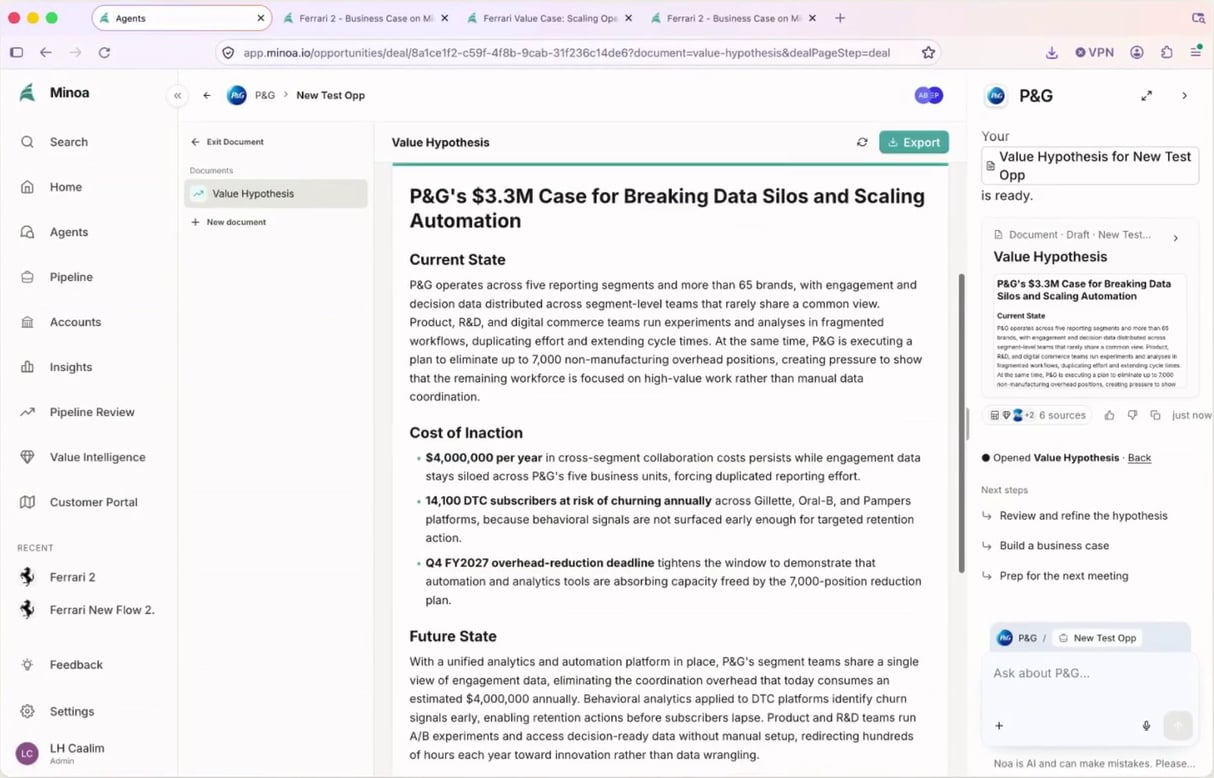
5. Work with Noa anywhere in Minoa
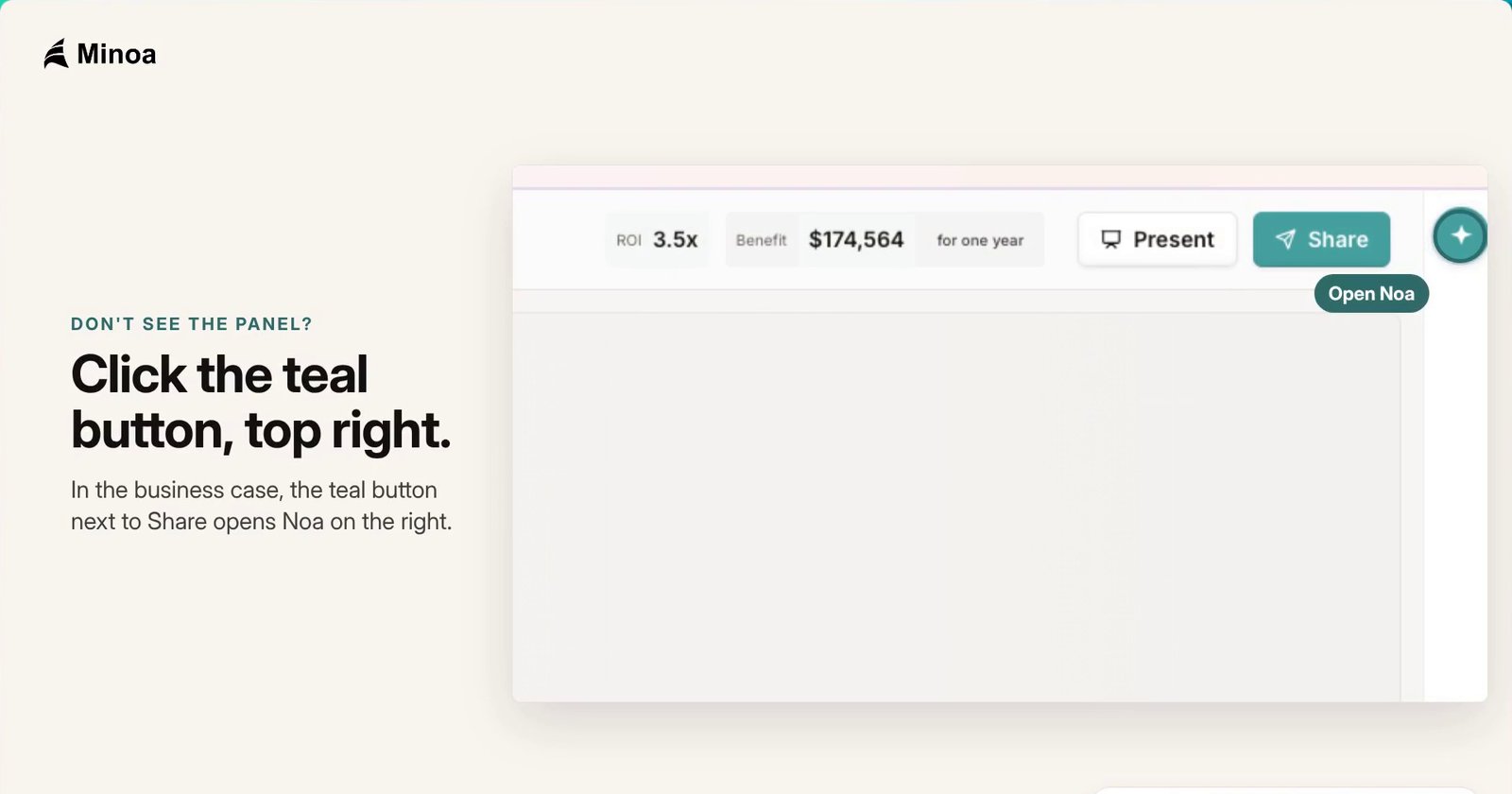
From there, Noa helps with the business case and the canvas or deck you send. Later on it helps with the handoff, the renewal pitch and the expansion case. You don’t have to go looking for Noa. It’s already wherever you’re working.On the account page
Ask about the whole account.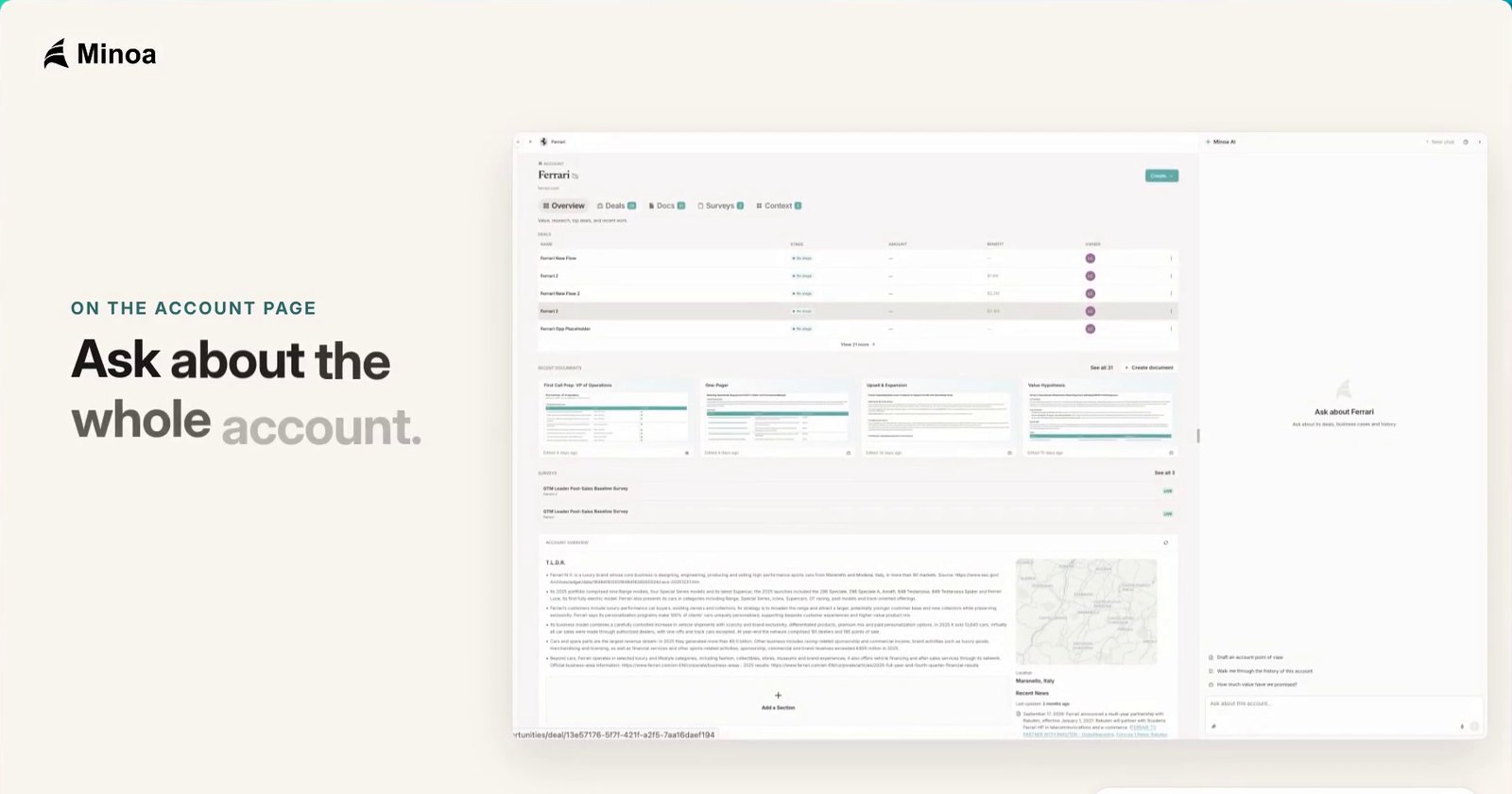
On the deal page
Everything for the deal lives in one place, including every document, whether Noa drafted it or you did. Noa sits right beside it to help you position the deal or check the business case for gaps and updates.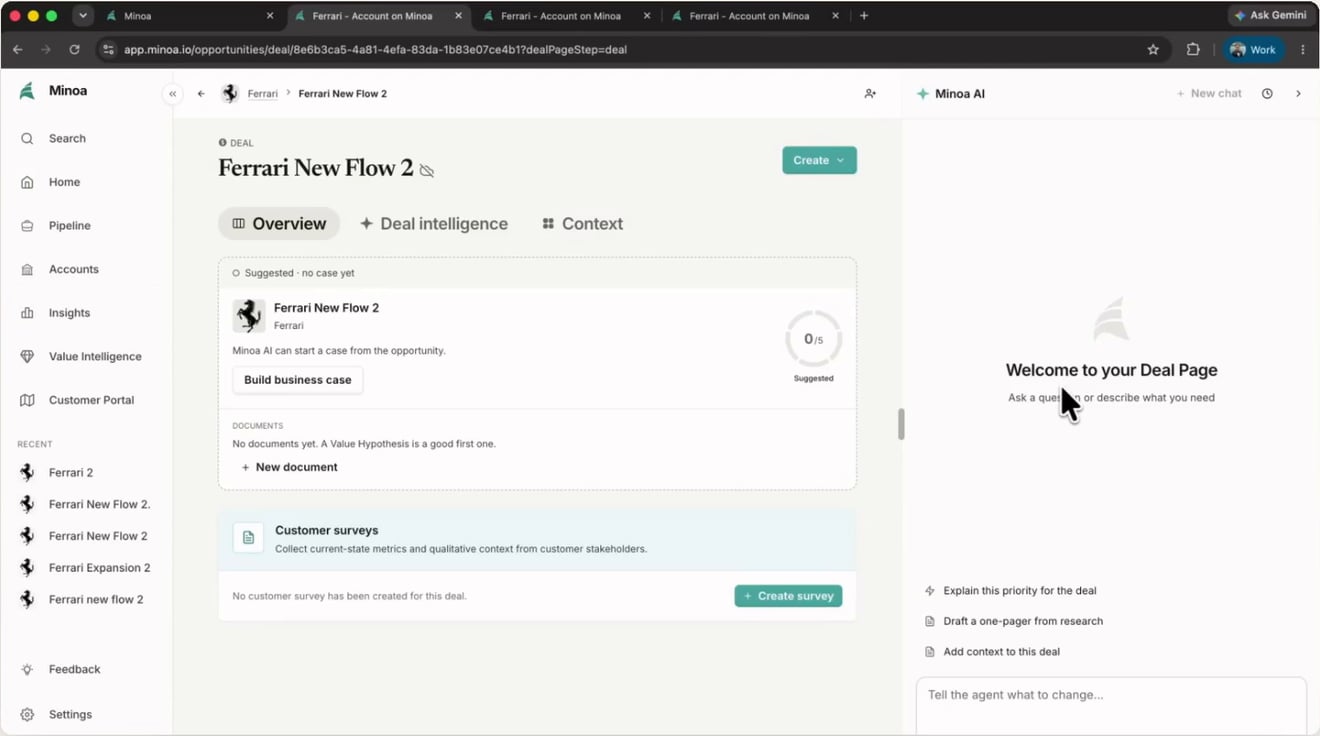
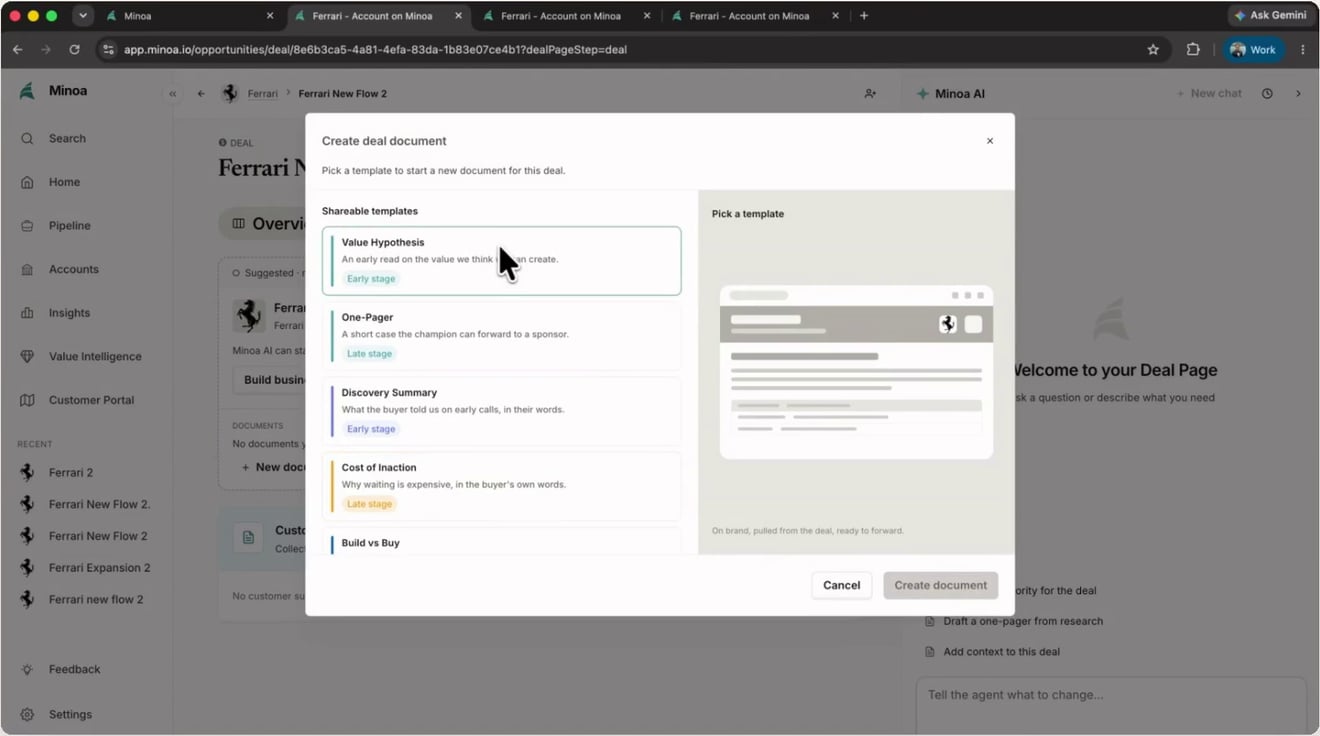
In the business case
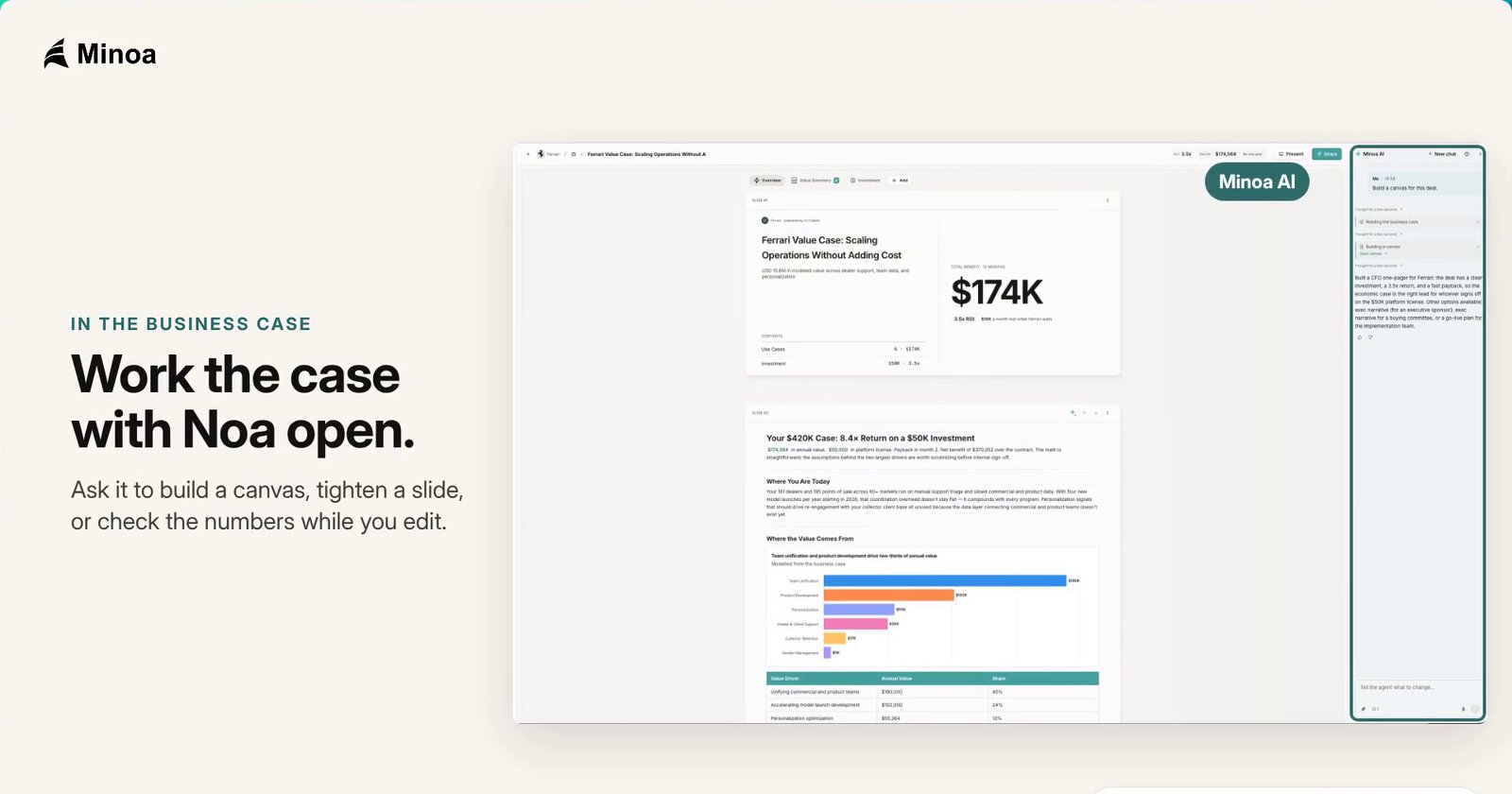
Work the case with Noa open. Ask it to build a canvas, tighten a slide or check the numbers while you edit.