
The deal page is where you work a single opportunity in Minoa. Your value stories, customer surveys, call context and business case all start here, with Noa, Minoa’s AI agent, next to you the whole time. This page walks through each part of it, from your first visit to sharing a business case with your customer.
Getting to the deal page
You land on the same deal page no matter how you find the deal:- In Minoa. Open the deal from your homepage, Pipeline, or Accounts.
- From Claude. Ask about the deal through the Minoa connector.
- From Salesforce. Open it from the Minoa widget on the opportunity.
Your first visit
If you haven’t created a value story or business case for the deal yet, you start on Context. Calls that were recorded and tied to the opportunity and account are attached automatically. Add anything else you have, then hit Continue.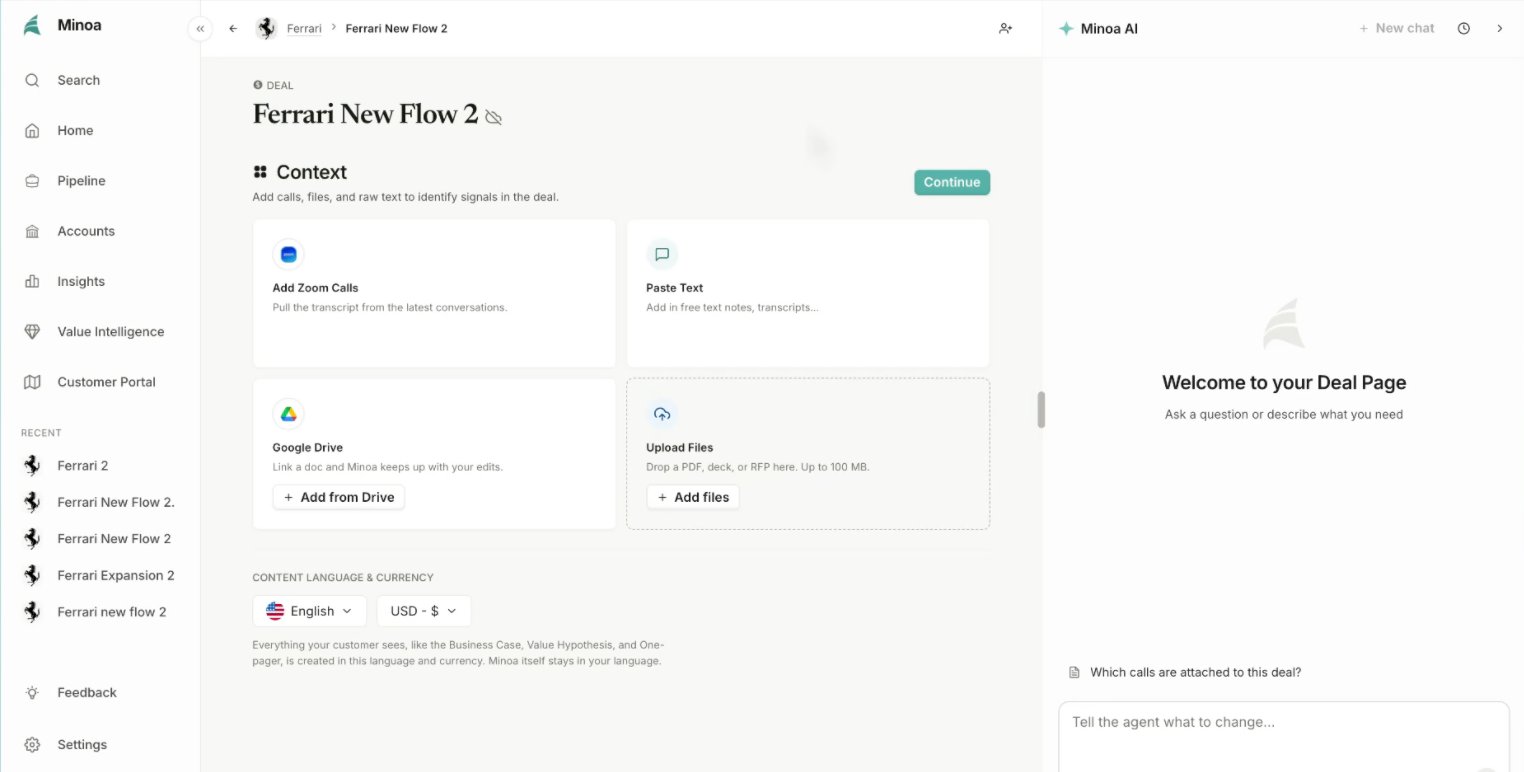
Coming back
Once a value story exists, you land on Overview instead.The three tabs
Overview
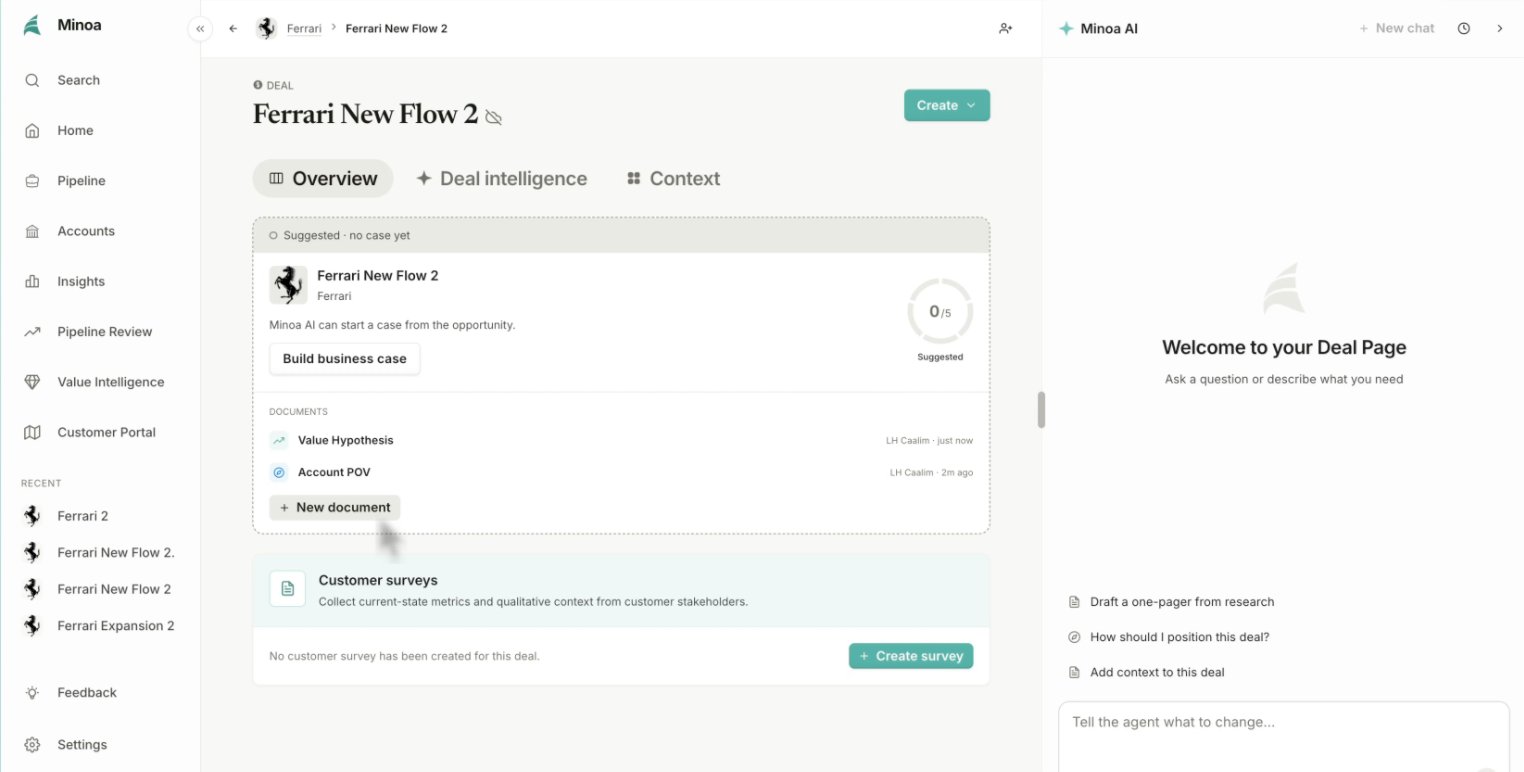
Overview is home base for the deal.- Deal card. Shows whether the deal has a business case yet. Hit Build business case to start one. See Build a business case below.
- Documents. Every document you’ve created for the deal. Click a row to reopen it, or hit New document to start another. On a new deal, Minoa suggests a Value Hypothesis as your first one.
- Customer surveys. Collect current-state metrics and qualitative context from customer stakeholders. Hit Create survey to send one. See Customer surveys.
Deal intelligence
Deal intelligence shows what Minoa has pulled from your context: the customer’s priorities and challenges, each backed by the call quote or note it came from. Edit or dismiss any signal to steer what the agent does with it.Context
Context is the raw material everything on the deal gets built from. When a document says something surprising, this is where you find out why.
Content language and currency also live here. Everything your customer sees, like the business case, Value Hypothesis, and One-Pager, is created in this language and currency. Minoa itself stays in your language.
Noa
Noa sits on the right of every tab. Ask it a question or describe what you need. It suggests a few prompts to start with, like:- Draft a one-pager from research
- How should I position this deal?
- Which calls are attached to this deal?
- Add context to this deal
Create a document
You don’t need a call with the customer to get started. Minoa uses account research and anything in Context to help you position the conversation around value from day one.1
Open the template picker
Hit New document on the Overview tab, or Create in the top right.
2
Pick a template
Select a template to see a preview of what it produces.
3
Create it
Hit Create document. Minoa drafts it from your deal context in a few moments.
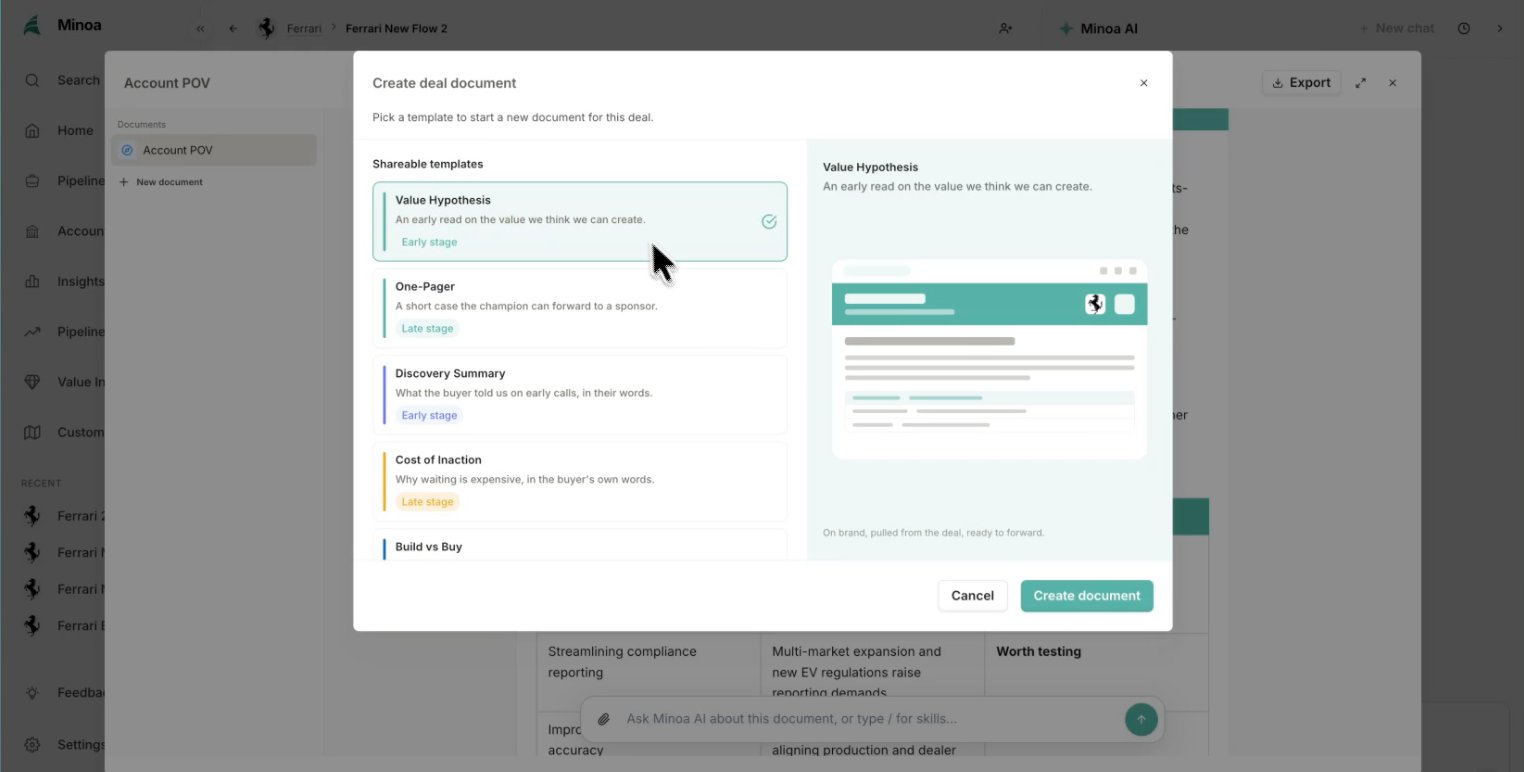
Shareable templates
Written for your customer. Each one is tagged with the point in the deal it fits.Internal documents
For your team only.Work with a document
Every document opens next to your other deal documents, so you can jump between them or start a new one from the same view.- Ask Noa. Use the chat box at the bottom of the document to have Noa edit it for you. Type
/to pull up skills. - Edit it yourself. Everything is editable with the toolbar at the top.
- Export it. Hit Export and send it to your customer.
Build a business case
When you’re ready for a larger, more dynamic business case, hit Build business case on the Overview tab. Minoa takes you into the business case builder.1
Minoa builds your value story
Minoa reviews your calls, notes, and documents, and matches the deal with comparable deals. It works from peer benchmarks, account research, Drive docs, and deal intelligence. This takes 2 to 3 minutes.Prefer to start from scratch? Hit Create a Manual Business Case instead.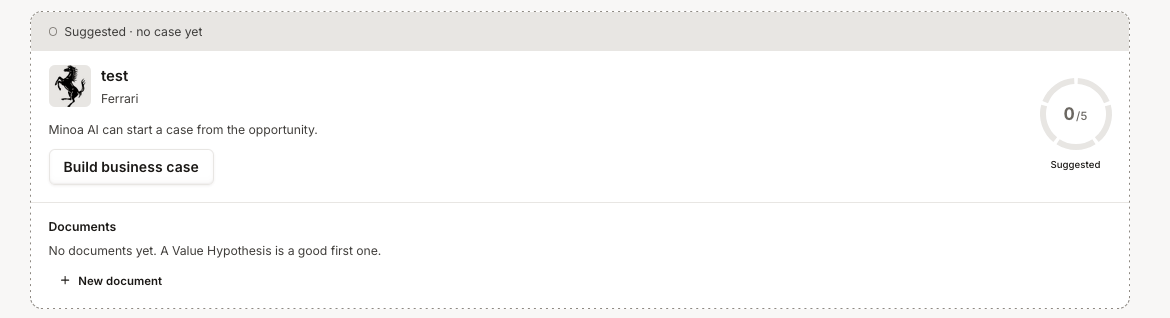
2
Select use cases
Minoa surfaces the use cases that matter to your customer. Each one shows the problem, a value range, and the evidence behind it. Keep the ones that fit and Dismiss the rest, or hit Regenerate.You can add, edit, and change use cases at any point later, so don’t overthink it. Hit Continue when you’re ready.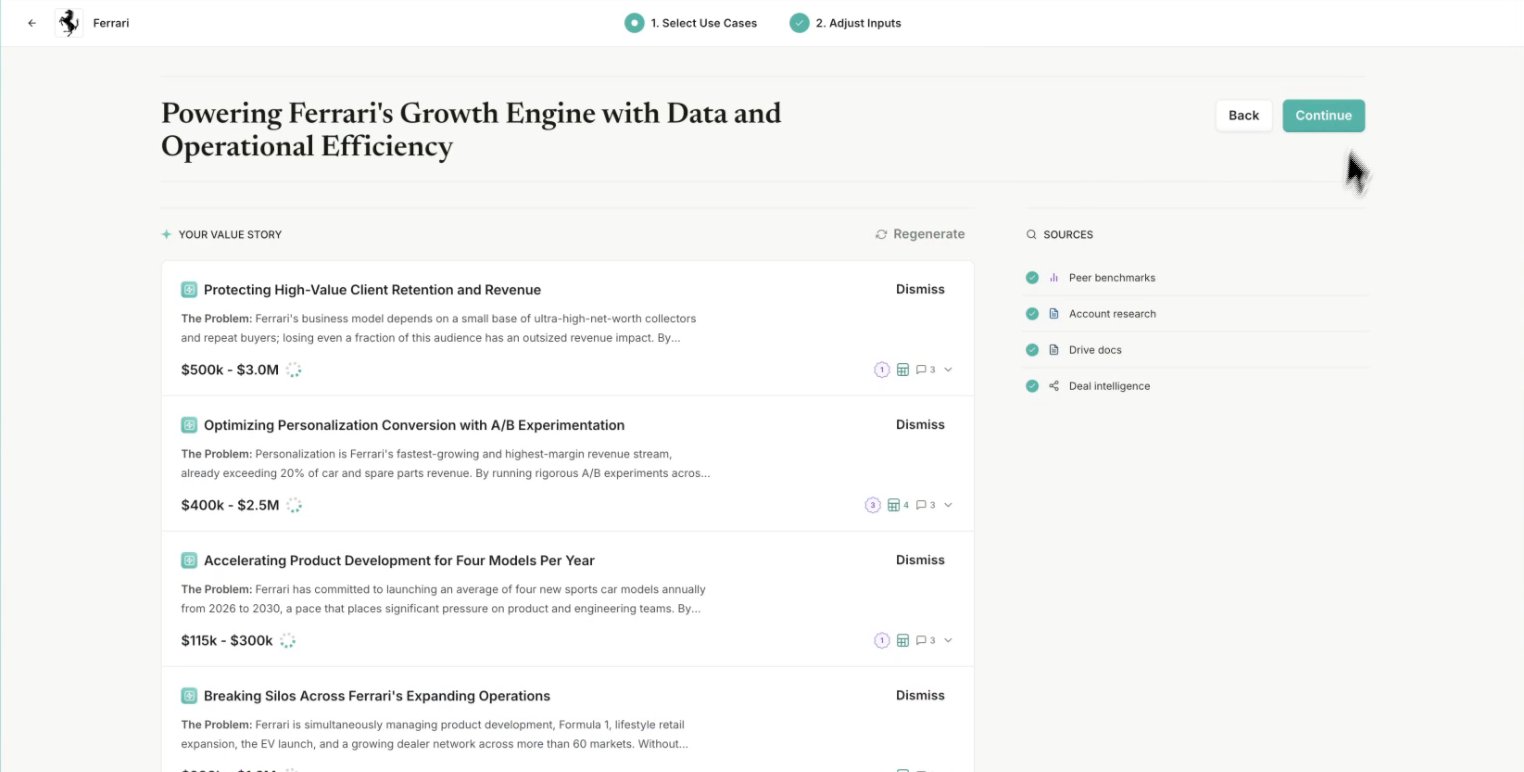
3
Adjust inputs
Every use case runs on inputs. Your value framework fills them with placeholders and benchmarks. Minoa swaps those for numbers specific to this customer, pulled from your conversations, the web, and any context you’ve added.Minoa flags exactly what it changed and the evidence behind each change. Revert anything if you know your deal better. It also shows which default assumptions are still in place.On the right, you get a preview of the total benefit with Why these numbers. Use it to align with your customer on value well before pricing comes up.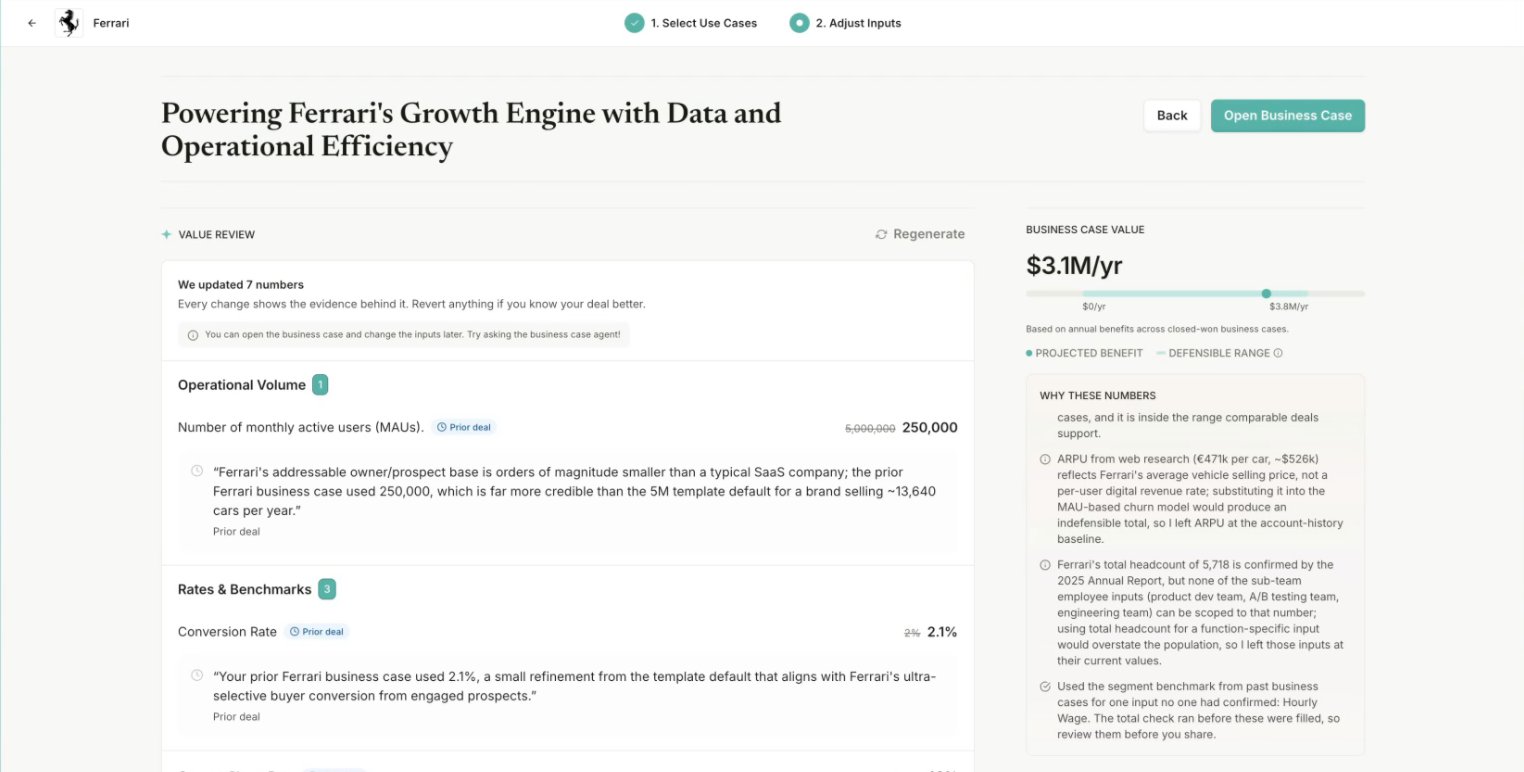
4
Open the business case
Hit Open Business Case to keep building.
Keep building with Noa
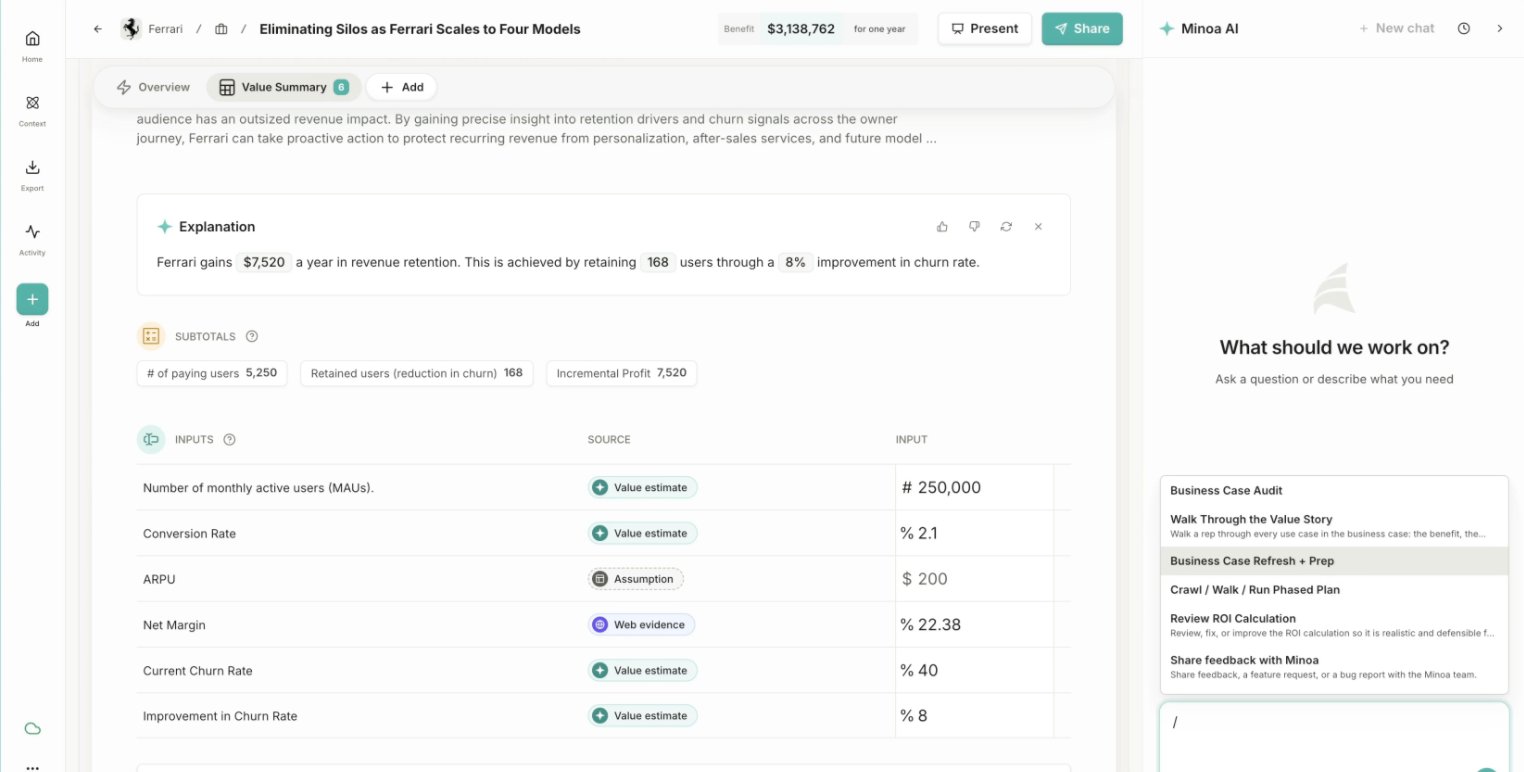
Ask Noa to make changes, add scenarios, build out the narrative, or refresh the business case as new conversations and context come in. Every input shows its source, and that source updates as the input changes. Type/ in the chat to pull up skills, like Business Case Audit, Walk Through the Value Story, Business Case Refresh + Prep, Crawl / Walk / Run Phased Plan, and Review ROI Calculation.
Add things yourself
Prefer to do it by hand? Hit Add in the left rail to add a custom slide, use cases, investment, a survey, a timeline, scenarios, or data.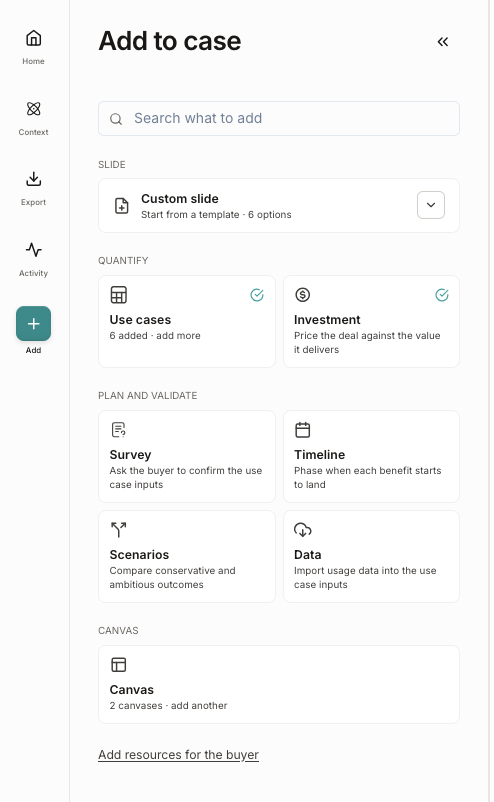
Share it
When you’re ready to work on it with your customer, hit Present, or Share the business case with them directly.Related
Work a deal with Noa
What to ask Noa at every stage, from qualify to renewal.
How Noa works
What Noa can do on a business case and how it stays grounded in your value framework.
Work your deal from the deal page
Which document to reach for at which point in a deal.
Navigate the business case
Find your way around a business case once it’s built.
Send your value story as a canvas or deck
Turn the business case into a Value Canvas or an exec-ready deck.