
Noa is your personal Value Engineer, and it sits on your Minoa homepage. As a sales or post-sales leader you can ask it about every account, deal, rep and customer, and the answer comes back grounded in your business cases instead of a summary of your CRM. This page shows the questions leaders ask Noa to run the quarter, coach the team and walk into renewals with proof.
Same question, different answer
Ask a general AI tool how your pipeline looks and you get your CRM read back to you. Ask Noa and you get the value behind every deal.What Noa knows
Noa answers from your own value data, not the internet. That’s Minoa’s value intelligence layer.Value framework
Your use cases and calculations, with the win rate on each.
Business cases
The value story behind every deal, with every number traced to its source.
Customer evidence
What customers told you on calls, in notes and in email.
What wins
Win rates by stage, rep and use case, against your own baseline.
Start with a question
1
Open Home
Noa sits at the top of your Minoa homepage under Ask Noa about any account or deal.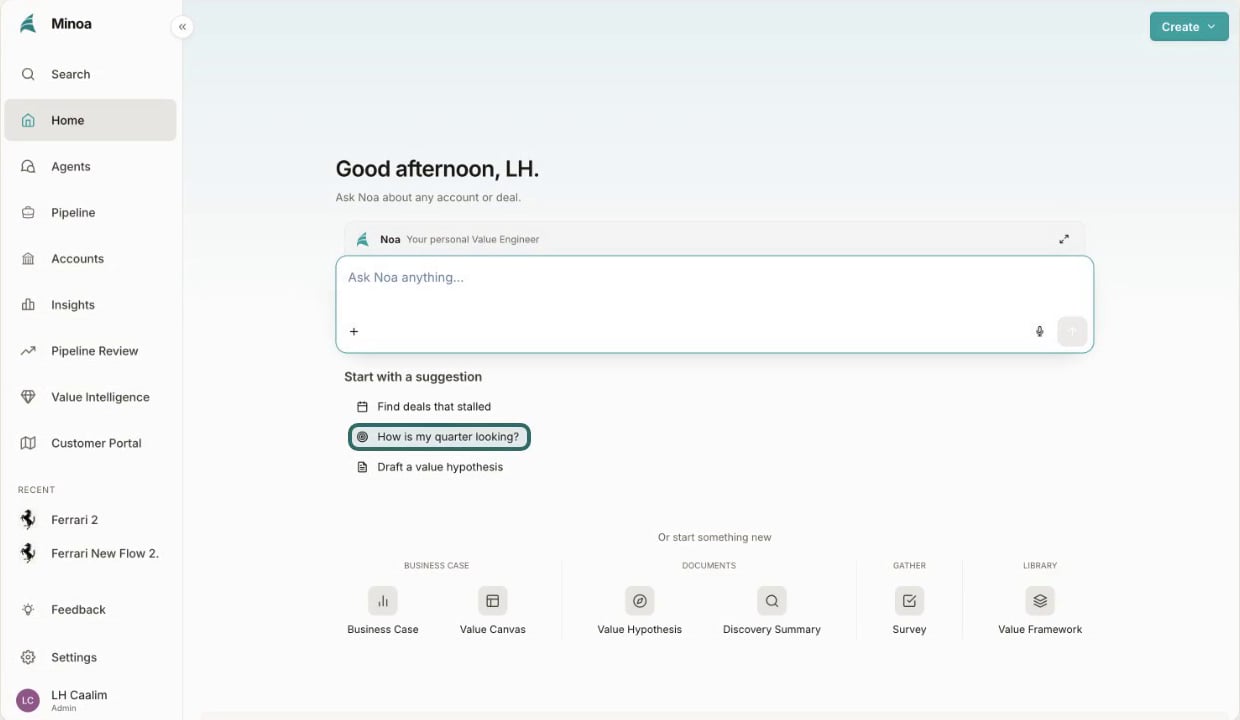
2
Pick a suggestion or type your own
Noa suggests where to start based on your deals and customers, like Find deals that stalled or How is my quarter looking? Click one, or just ask in plain English.
3
Follow the next steps
Every answer shows what Noa checked and ends with suggested next steps. Click one to keep going without retyping the context.
The questions leaders ask
Click through the questions below to see what Noa checks and what comes back. The numbers are example data.Walk into Monday ready
Noa reads the same evidence as Pipeline Review, where every deal is scored 0 to 7 on value activity and comes with an Ask your rep question. Use Pipeline Review when you want to scan the whole team. Ask Noa when you want the short list before the call.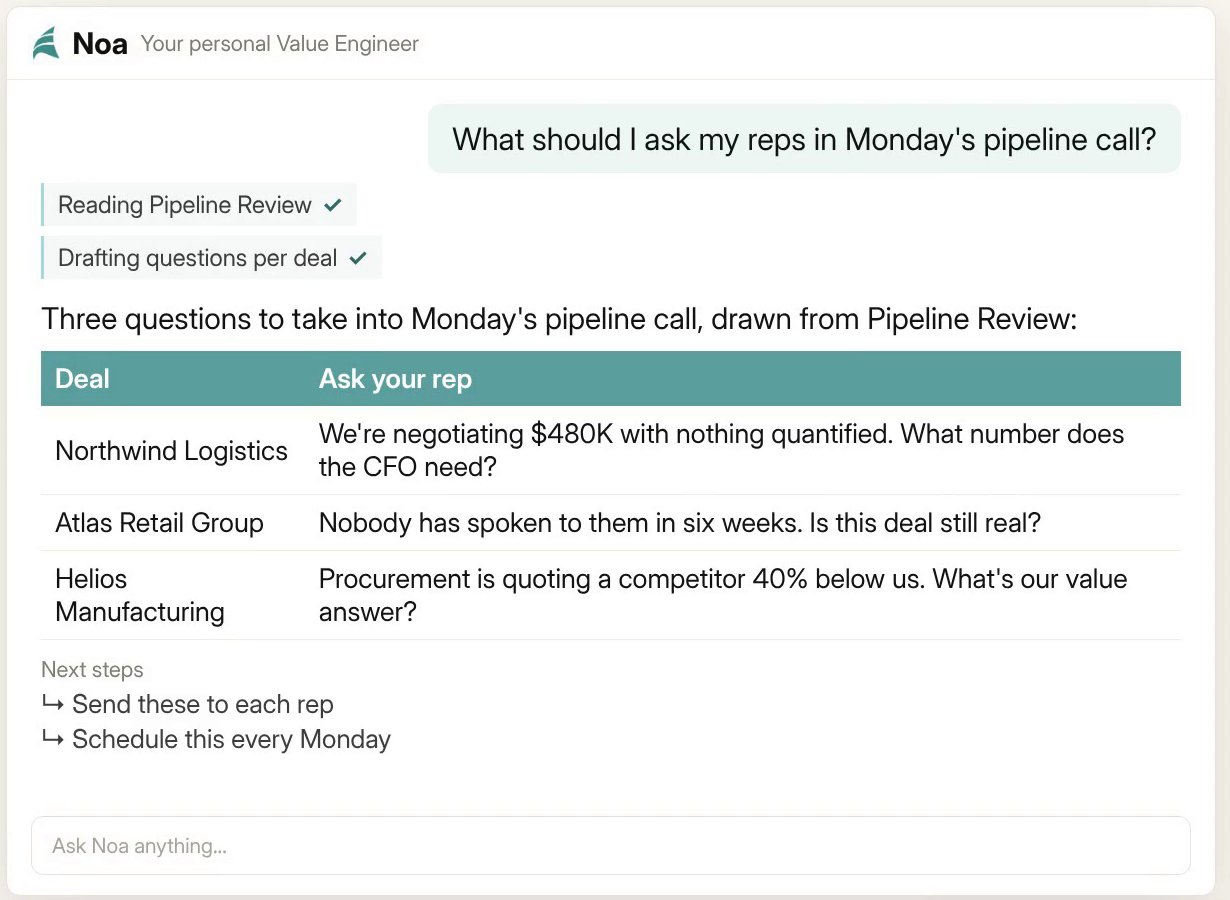
Track value promised and delivered
The deal doesn’t stop at the close. Noa reads the value you promised in every business case and what’s confirmed in Value Realization, so you walk into every renewal with proof, not adjectives. Ask for the customers renewing this quarter and you’ll see who’s on track and who needs a save play before the conversation, not after.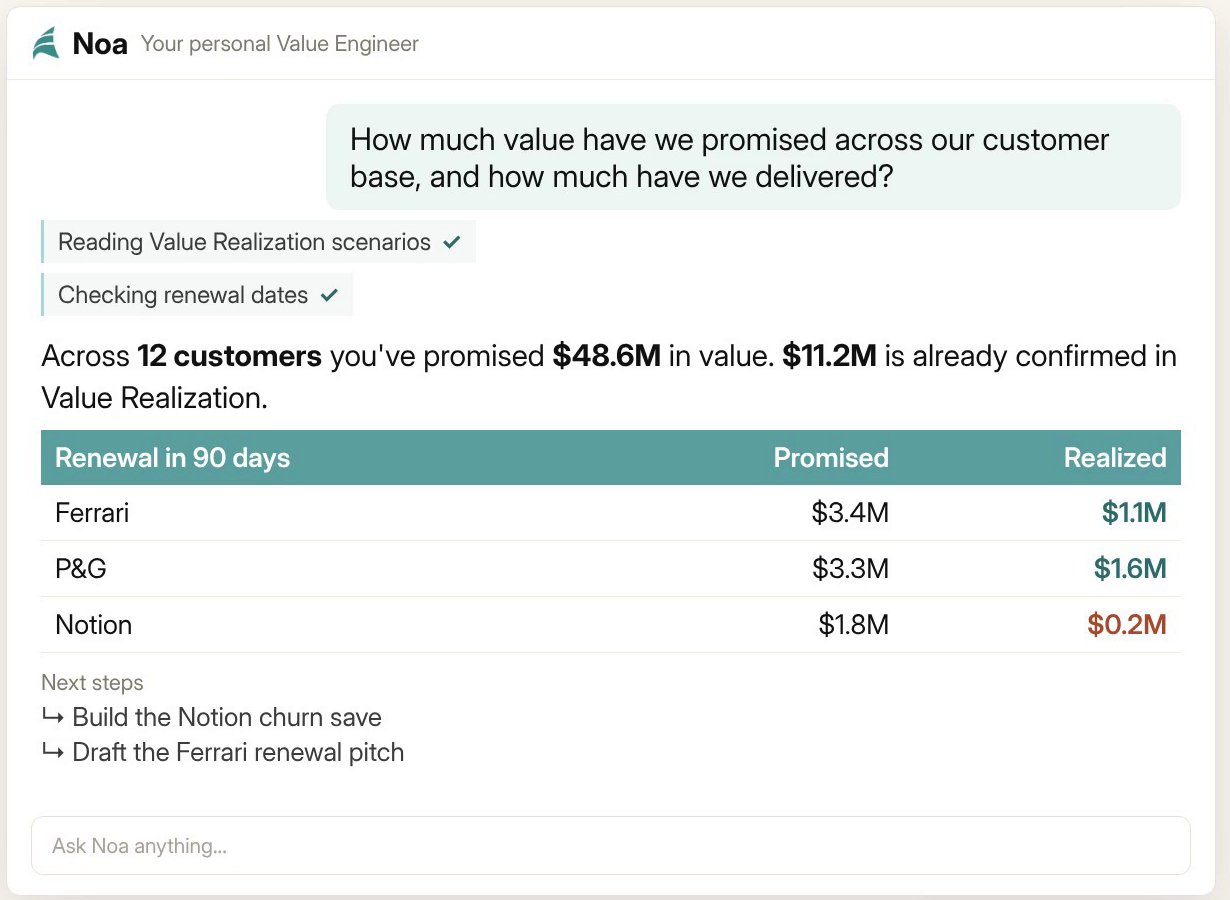
No login required
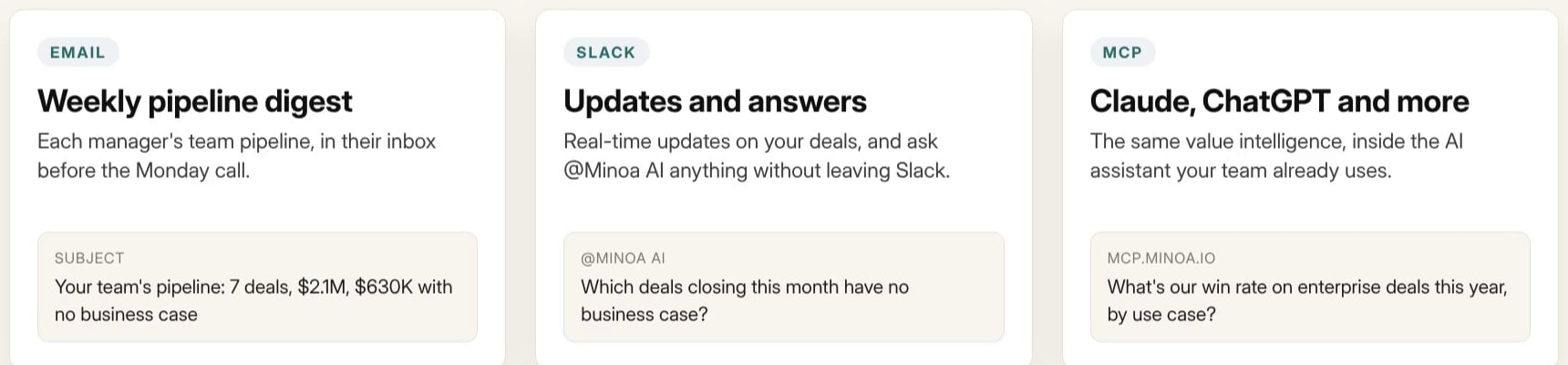
Weekly pipeline digest. Each manager’s team pipeline in their inbox before the Monday call.
Slack
Updates and answers. Real-time updates on your deals. Ask @Minoa anything without leaving Slack.
MCP
Claude, ChatGPT and more. The same value intelligence inside the AI assistant your team already uses.
Ask from Claude, ChatGPT or Glean
Connect your AI assistant to Minoa once and you can ask the same leadership questions without leaving it. Setup takes a couple of minutes.Connect the Minoa MCP Server
Set up Claude, ChatGPT, Glean or any MCP client, and see every tool your assistant can use.
MCP Playbook
The plays and prompts to use once you’re connected. Start with Play 10: Read the pipeline.
Get a better answer
Ask for a decision
“Which three deals should I spend time on this week?” beats “show me my pipeline.”
Name the scope
Say the team, the rep, the quarter or the customer. Noa narrows the answer to what you asked for.
Keep the thread going
Follow up in the same chat. Noa keeps the context from the last answer.